AWS Trusted Advisor: The Complete Guide to Optimizing Cost, Security, Performance, and Reliability
Learn how AWS Trusted Advisor improves cloud cost optimization, security, performance, reliability, and governance with AWS best practices.

Managing AWS environments efficiently requires more than monitoring monthly bills or rightsizing EC2 instances. As cloud infrastructure grows, organizations must continuously evaluate costs, security, performance, reliability, and operational efficiency to ensure their environments remain healthy and aligned with AWS best practices.
Many businesses discover cloud issues only after they begin affecting application performance, increasing costs, or creating security risks. Idle resources remain running for months, security recommendations go unnoticed, service quotas are reached unexpectedly, and workloads become less resilient over time.
To help customers identify these issues proactively, AWS provides AWS Trusted Advisor.
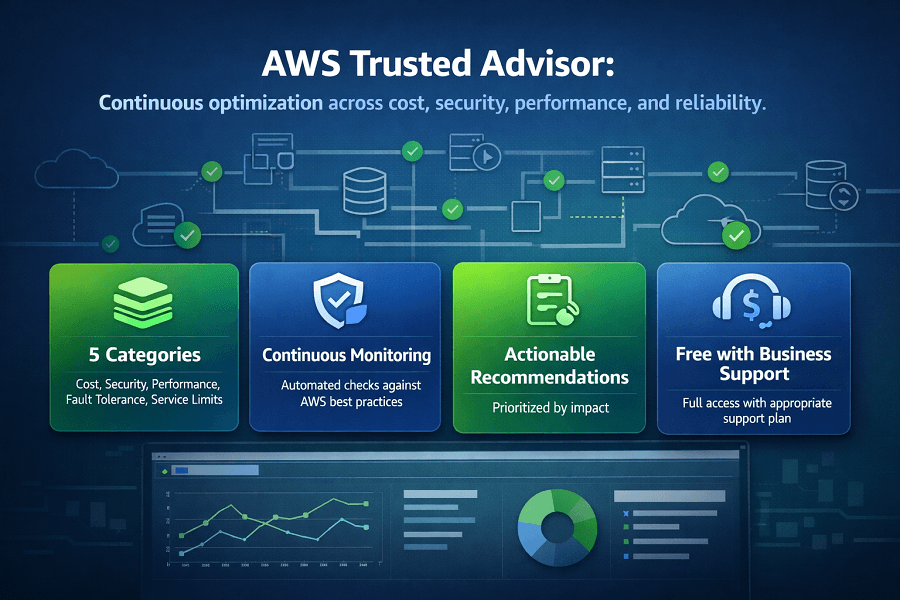
AWS Trusted Advisor is a cloud optimization service that continuously evaluates AWS environments against AWS best practices and provides actionable recommendations across multiple categories, including AWS cost optimization, security, performance, fault tolerance, operational excellence, and service limits.
Instead of manually reviewing hundreds of AWS resources, engineering teams receive automated recommendations that help improve infrastructure health, reduce unnecessary spending, strengthen security, and increase application reliability.
Whether you're operating a startup with a single AWS account or managing a large multi-account enterprise environment, AWS Trusted Advisor can help you identify optimization opportunities before they become expensive problems.
What This Guide Covers
- What AWS Trusted Advisor is
- How Trusted Advisor works
- Trusted Advisor check categories
- Cost optimization checks
- Security recommendations
- Performance recommendations
- Service limit monitoring
- Best practices
- Common mistakes
- How Trusted Advisor fits into a complete AWS Cost Optimization strategy
What Is AWS Trusted Advisor?
AWS Trusted Advisor is an AWS advisory service that analyzes your AWS environment and compares it against AWS best practices.
It performs automated checks across multiple operational categories and provides recommendations to help organizations:
- Reduce cloud costs
- Improve infrastructure security
- Increase application performance
- Enhance fault tolerance
- Monitor AWS service quotas
- Improve operational efficiency
Unlike AWS Cost Explorer, which focuses primarily on spending analysis, Trusted Advisor evaluates the overall health of your AWS environment.
Its recommendations span technical, financial, and operational aspects of cloud infrastructure.
Why AWS Trusted Advisor Matters
Cloud environments change every day.
Developers launch new resources.
Applications scale automatically.
Infrastructure expands across regions.
Security configurations evolve.
Without continuous monitoring, organizations often accumulate hidden inefficiencies.
Common examples include:
- Idle Amazon EC2 instances
- Unattached Amazon EBS volumes
- Unused Elastic IP addresses
- Idle Load Balancers
- Underutilized Reserved Instances
- Weak IAM security configurations
- Missing Multi-Factor Authentication (MFA)
- Publicly accessible Amazon S3 buckets
- Approaching AWS service quotas
Individually, these issues may seem minor.
Collectively, they can increase operational costs, reduce application reliability, and expose organizations to unnecessary security risks.
AWS Trusted Advisor helps identify these problems before they impact business operations.
How AWS Trusted Advisor Works
Trusted Advisor continuously analyzes supported AWS resources using automated checks.
The service evaluates your AWS environment against AWS best practices and categorizes findings based on severity and impact.
The typical workflow includes:
Step 1: Resource Analysis
Trusted Advisor scans supported AWS services.
Examples include:
- Amazon EC2
- Amazon EBS
- Amazon S3
- IAM
- Amazon RDS
- Elastic Load Balancing
- Amazon VPC
- Amazon CloudFront
- AWS Support resources
Step 2: Best Practice Evaluation
Each resource is compared against AWS operational recommendations.
Examples include:
- Resource utilization
- Security configuration
- Service quotas
- Cost optimization opportunities
- Infrastructure resilience
Step 3: Recommendation Generation
Trusted Advisor generates recommendations categorized by:
- High Priority
- Medium Priority
- Informational
Each recommendation includes:
- Description of the issue
- Potential business impact
- Recommended corrective action
- Affected AWS resources
Step 4: Continuous Monitoring
Trusted Advisor updates recommendations regularly as AWS environments change.
Engineering teams should review recommendations periodically as part of their cloud operations process.
AWS Trusted Advisor Categories
Trusted Advisor organizes recommendations into several major categories.
Each category supports a different aspect of cloud optimization.
The primary categories include:
- Cost Optimization
- Security
- Performance
- Fault Tolerance
- Service Limits
- Operational Excellence (for eligible support plans and evolving feature availability)
Together, these categories provide a comprehensive view of AWS environment health.
Cost Optimization Checks
Cost Optimization is one of the most widely used Trusted Advisor categories.
These checks help organizations eliminate unnecessary cloud spending by identifying idle or underutilized resources.
Common recommendations include:
- Underutilized Amazon EC2 instances
- Idle Elastic Load Balancers
- Idle Elastic IP addresses
- Low-utilization Amazon EBS volumes
- Amazon RDS idle resources
- Reserved Instance optimization opportunities
- Savings opportunity recommendations
These recommendations complement AWS Compute Optimizer and AWS Cost Explorer by highlighting resources that may no longer be needed.
Underutilized Amazon EC2 Instances
Many organizations provision Amazon EC2 instances based on anticipated demand.
Over time, workloads change and some instances become significantly underutilized.
Trusted Advisor analyzes utilization metrics and identifies instances that consistently exhibit low resource usage.
Engineering teams can then decide whether to:
- Resize instances
- Stop unused instances
- Terminate obsolete workloads
- Migrate workloads
This helps reduce unnecessary compute costs while improving overall infrastructure efficiency.
Idle Elastic IP Addresses
Elastic IP addresses that are allocated but not associated with running resources may incur unnecessary charges.
Trusted Advisor identifies unused Elastic IP addresses so they can be released or reassigned.
Although individual costs are relatively small, unused Elastic IPs often accumulate across enterprise environments.
Idle Load Balancers
Elastic Load Balancers are essential for distributing application traffic.
However, load balancers with little or no traffic may indicate obsolete infrastructure.
Trusted Advisor identifies low-utilization or idle load balancers that can potentially be removed after engineering review.
Eliminating unused load balancers helps reduce monthly infrastructure costs and simplifies environment management.
Amazon EBS Optimization
Unused or underutilized Amazon EBS volumes contribute to ongoing storage costs.
Trusted Advisor identifies storage resources that may no longer be attached to active workloads.
Organizations should review these findings carefully before deleting any storage resources to avoid accidental data loss.
AWS Trusted Advisor Security Checks
Security is one of the most valuable capabilities of AWS Trusted Advisor.
Cloud environments evolve constantly. New IAM users are created, permissions change, storage buckets are configured, and network rules are updated. Without regular reviews, small configuration issues can become significant security risks.
Trusted Advisor continuously evaluates AWS resources against AWS security best practices and highlights areas that require attention.
Although Trusted Advisor is not a replacement for dedicated security services like Amazon GuardDuty, AWS Security Hub, or Amazon Inspector, it provides foundational security recommendations that every AWS environment should review regularly.
Common security checks include:
- Root account security
- Multi-Factor Authentication (MFA)
- IAM access keys
- Amazon S3 bucket permissions
- Security Groups
- IAM permissions
- Amazon RDS security configurations
Root Account Security
The AWS root account has unrestricted access to every resource within an AWS account.
Because of its elevated privileges, AWS recommends using the root account only for a limited set of administrative tasks.
Trusted Advisor verifies whether security best practices are followed, including:
- MFA enabled on the root account
- Root access keys removed when unnecessary
- Root credentials protected
Organizations should avoid using the root account for daily operations and instead rely on IAM users or IAM Identity Center with appropriate permissions.
Multi-Factor Authentication (MFA)
One of the simplest ways to strengthen AWS account security is by enabling Multi-Factor Authentication.
Trusted Advisor checks whether MFA is enabled for:
- Root accounts
- Eligible IAM users
Without MFA, compromised passwords can provide attackers with unrestricted access to AWS resources.
Implementing MFA significantly reduces the risk of unauthorized account access.
IAM Access Key Rotation
Long-lived access keys increase security risk.
Trusted Advisor identifies:
- Old IAM access keys
- Unused credentials
- Credentials that should be rotated
AWS recommends rotating access keys regularly and replacing long-term credentials with temporary credentials whenever possible through IAM roles.
Amazon S3 Bucket Permissions
Amazon S3 is one of the most commonly used AWS services, and misconfigured buckets remain one of the most frequent causes of cloud security incidents.
Trusted Advisor helps identify buckets that may have overly permissive access configurations.
Engineering teams should verify that:
- Buckets are not unintentionally public
- Bucket policies follow least-privilege principles
- Sensitive data is appropriately protected
- Encryption is enabled where required
Proper S3 configuration reduces the risk of accidental data exposure.
Security Groups
Security Groups act as virtual firewalls for AWS resources.
Trusted Advisor reviews Security Group configurations and identifies rules that may unnecessarily expose resources to the internet.
Examples include:
- Open SSH access (Port 22)
- Open RDP access (Port 3389)
- Wide-open inbound rules
- Unrestricted database ports
Rather than allowing access from 0.0.0.0/0 unless absolutely necessary, organizations should restrict traffic to trusted IP ranges wherever possible.
AWS Trusted Advisor Performance Checks
Performance recommendations help organizations improve application responsiveness and infrastructure efficiency.
Rather than focusing solely on cost savings, these checks identify opportunities to optimize workload performance.
Performance recommendations may include:
- Amazon CloudFront optimization
- Amazon EBS performance
- EC2 configuration recommendations
- Network performance considerations
- Service-specific optimization guidance
Performance improvements often enhance both user experience and operational efficiency.
Amazon CloudFront Optimization
Applications serving users across multiple geographic regions benefit from content delivery networks.
Trusted Advisor may recommend using Amazon CloudFront where appropriate to reduce latency and improve content delivery.
CloudFront helps:
- Reduce response times
- Improve global application performance
- Lower origin server load
- Enhance scalability
Organizations delivering static assets, media, or web applications globally should evaluate CloudFront as part of their architecture.
Amazon EBS Performance
Trusted Advisor also reviews certain storage-related configurations.
Recommendations may include identifying storage configurations that could benefit from performance improvements based on workload characteristics.
For production environments, storage performance directly affects:
- Database responsiveness
- Application latency
- Backup operations
- Batch processing
Storage optimization should balance both performance and cost.
Fault Tolerance Checks
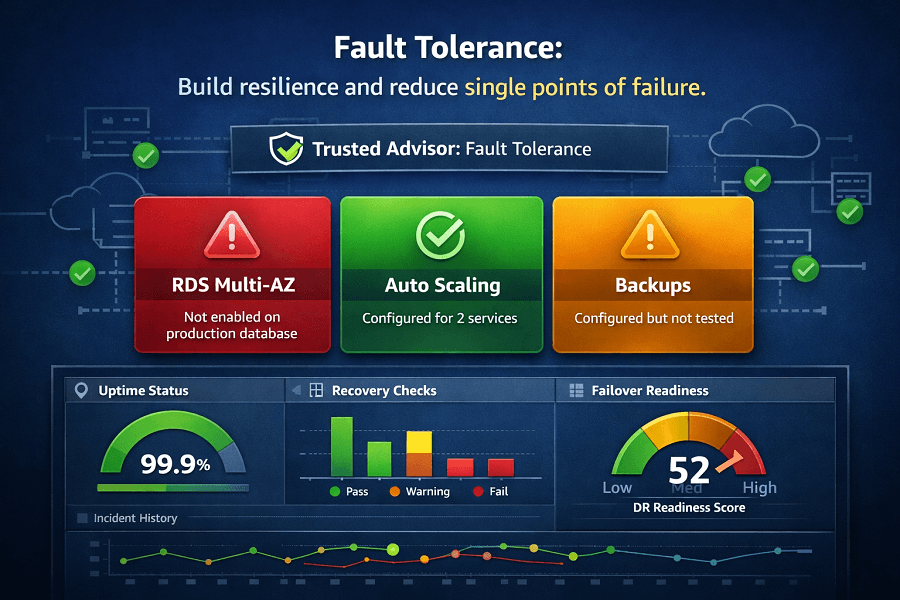
Fault tolerance focuses on maintaining application availability during infrastructure failures.
AWS Well-Architected Framework identifies reliability as one of its core pillars, and Trusted Advisor supports this objective through several automated checks.
Common fault tolerance recommendations include:
- Multi-AZ deployment considerations
- Backup verification
- Auto Scaling recommendations
- Elastic Load Balancer configuration
- Amazon Route 53 health checks
- Redundancy improvements
Organizations operating business-critical workloads should regularly review these recommendations.
Amazon RDS Multi-AZ
Databases often represent mission-critical infrastructure.
Trusted Advisor may recommend enabling Multi-AZ deployments for production databases to improve resilience against infrastructure failures.
Benefits include:
- Higher availability
- Automatic failover
- Reduced downtime
- Improved disaster recovery readiness
Development and testing environments may not require Multi-AZ deployments, but production systems often benefit significantly.
Auto Scaling
Applications with fluctuating traffic benefit from Auto Scaling.
Trusted Advisor helps identify workloads where scaling policies may improve:
- Availability
- Performance
- Resource utilization
Proper Auto Scaling also contributes to cost optimization by matching infrastructure capacity to actual demand.
Backup Recommendations
Reliable backups are essential for disaster recovery.
Trusted Advisor evaluates certain backup-related configurations and encourages organizations to implement consistent backup strategies for critical workloads.
Best practices include:
- Automated snapshots
- Cross-region backups (where appropriate)
- Backup testing
- Defined recovery objectives (RTO/RPO)
Backups should be regularly tested rather than assumed to be recoverable.
Service Limits (Service Quotas)
Every AWS account includes service quotas that define the maximum number of resources available for specific services.
Examples include:
- EC2 instance limits
- Elastic IP quotas
- Amazon VPC limits
- EBS volume quotas
- Load Balancer limits
Approaching these limits can delay deployments or prevent applications from scaling during periods of increased demand.
Trusted Advisor monitors supported quotas and alerts organizations when usage approaches predefined thresholds.
Proactively requesting quota increases helps prevent operational disruptions.
Operational Excellence Recommendations
Operational excellence involves continuously improving cloud operations through automation, monitoring, and standardized processes.
Trusted Advisor contributes by encouraging organizations to:
- Review infrastructure regularly
- Eliminate technical debt
- Follow AWS best practices
- Improve governance
- Standardize operational procedures
Operational excellence is an ongoing process rather than a one-time activity.
AWS Support Plans and Trusted Advisor Access
The availability of Trusted Advisor checks depends on your AWS Support plan.
Generally:
| AWS Support Plan | Trusted Advisor Access |
|---|---|
| Basic Support | Limited core checks |
| Developer Support | Limited checks |
| Business Support | Full Trusted Advisor recommendations |
| Enterprise Support | Full recommendations with additional enterprise support capabilities |
Organizations relying heavily on AWS often benefit from Business or Enterprise Support because they unlock the complete set of Trusted Advisor checks and advisory capabilities.
AWS Trusted Advisor vs AWS Compute Optimizer
Although these services appear similar, they solve different problems.
| AWS Trusted Advisor | AWS Compute Optimizer |
|---|---|
| Reviews overall AWS environment | Focuses on resource rightsizing |
| Cost, Security, Performance, Reliability | Compute efficiency |
| Multiple AWS services | EC2, EBS, Lambda, ECS |
| Best practice recommendations | Machine learning-based sizing recommendations |
| Broad operational health | Infrastructure optimization |
Trusted Advisor provides a high-level health assessment, while AWS Compute Optimizer offers detailed recommendations for specific compute resources.
Most organizations should use both together.
AWS Trusted Advisor vs AWS Cost Explorer
These services also complement one another.
| AWS Trusted Advisor | AWS Cost Explorer |
|---|---|
| Finds optimization opportunities | Analyzes historical spending |
| Technical recommendations | Financial reporting |
| Resource health | Billing analysis |
| Infrastructure best practices | Cost trends |
Cost Explorer explains where money is being spent.
Trusted Advisor identifies why infrastructure may be inefficient.
Building a Continuous AWS Optimization Workflow
One of the biggest mistakes organizations make is treating AWS Trusted Advisor as a one-time assessment tool.
In reality, cloud environments are constantly changing. Developers launch new workloads, applications scale, infrastructure evolves, and AWS releases new services and recommendations.
Trusted Advisor delivers the greatest value when it becomes part of an organization's ongoing cloud operations process.
A recommended optimization workflow looks like this:
Step 1: Review AWS Spending
Start with AWS Cost Explorer to understand:
- Monthly spending trends
- Service-level costs
- Cost anomalies
- High-cost resources
Step 2: Rightsize Infrastructure
Use AWS Compute Optimizer to identify:
- Oversized EC2 instances
- Inefficient Amazon EBS volumes
- AWS Lambda memory optimization
- Amazon ECS task recommendations
Step 3: Review AWS Trusted Advisor
Evaluate recommendations across:
- Cost Optimization
- Security
- Performance
- Fault Tolerance
- Service Limits
- Operational Excellence
Step 4: Implement Changes
Engineering teams should:
- Remove unused resources
- Improve IAM security
- Update Security Groups
- Increase service quotas if required
- Enable Multi-AZ where appropriate
- Improve backup strategies
Step 5: Monitor Financial Controls
Use:
- AWS Budgets
- AWS Cost and Usage Report (CUR)
- Amazon CloudWatch
- AWS Billing Dashboard
Step 6: Repeat Monthly
Cloud optimization is an ongoing discipline rather than a one-time project.
Organizations that review Trusted Advisor recommendations regularly typically identify issues before they impact cost, security, or reliability.
Best Practices for AWS Trusted Advisor
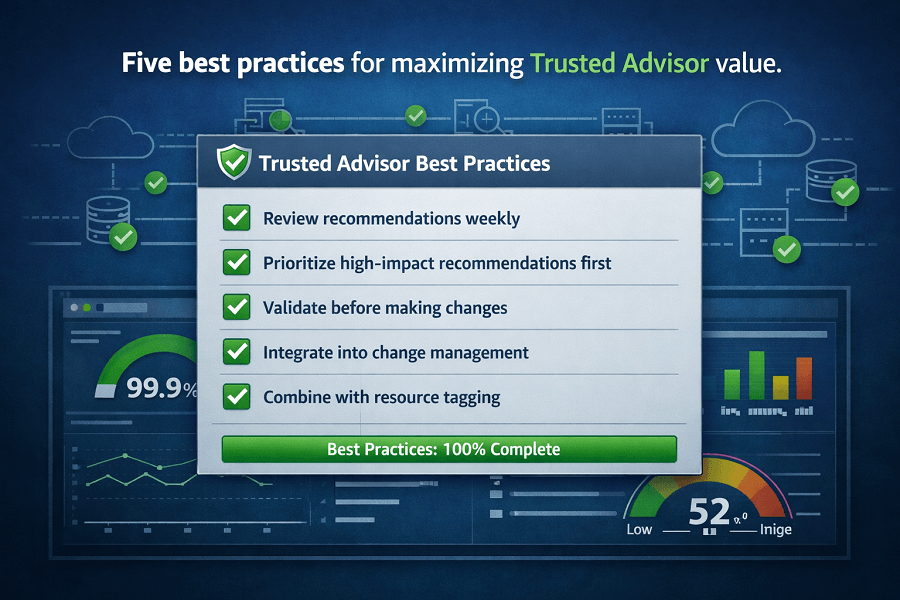
To maximize the value of Trusted Advisor, organizations should follow several operational best practices.
Review Recommendations Regularly
Infrastructure changes frequently.
Schedule regular reviews weekly for dynamic environments and monthly for more stable workloads to ensure new recommendations are addressed promptly.
Prioritize High-Impact Recommendations
Not every recommendation requires immediate action.
Focus first on findings that:
- Reduce unnecessary cloud costs
- Improve account security
- Prevent service disruptions
- Increase application resilience
Address informational recommendations after higher-priority issues have been resolved.
Validate Before Making Changes
Trusted Advisor highlights potential improvements, but engineering teams should always validate recommendations before implementing them.
For example:
An EC2 instance identified as underutilized may still support:
- Scheduled jobs
- Disaster recovery
- Seasonal workloads
- Compliance requirements
Business context should always guide infrastructure decisions.
Integrate Trusted Advisor into Change Management
Organizations with mature DevOps practices should incorporate Trusted Advisor reviews into:
- Monthly cloud governance meetings
- Infrastructure reviews
- Well-Architected Reviews
- Cost optimization initiatives
- Security assessments
Embedding these reviews into operational processes helps maintain long-term cloud health.
Combine Trusted Advisor with Resource Tagging
Consistent resource tagging improves the effectiveness of optimization efforts.
Recommended tags include:
- Environment
- Department
- Project
- Application
- Owner
- Cost Center
- Business Unit
When recommendations are linked to well-tagged resources, engineering teams can identify responsible stakeholders more quickly and prioritize remediation.
Common Mistakes Organizations Make
Even organizations using Trusted Advisor sometimes fail to realize its full value.
Avoid these common pitfalls.
Ignoring Recommendations
Some teams review Trusted Advisor dashboards but never act on the findings.
Recommendations only create value when they lead to operational improvements.
Assign ownership and track remediation progress.
Focusing Only on Cost Optimization
Trusted Advisor is much more than a cost management tool.
Security, fault tolerance, and service quota recommendations often prevent incidents that could have a much greater business impact than monthly cloud costs.
A balanced review across all categories is essential.
Reviewing Trusted Advisor Only Before Audits
Waiting until an audit or Well-Architected Review to evaluate recommendations can leave long-standing issues unresolved.
Continuous monitoring is far more effective than periodic clean-up efforts.
Not Understanding AWS Support Plan Capabilities
Organizations should understand which Trusted Advisor features are available under their AWS Support plan.
If advanced advisory capabilities are important to your operations, evaluate whether a Business or Enterprise Support plan is appropriate.
AWS Trusted Advisor and the AWS Well-Architected Framework
AWS Trusted Advisor aligns closely with the AWS Well-Architected Framework by helping organizations identify improvements across multiple architectural pillars.
Trusted Advisor supports areas such as:
Cost Optimization
- Eliminate waste
- Improve resource efficiency
- Optimize infrastructure utilization
Security
- Strengthen IAM configurations
- Improve access controls
- Reduce unnecessary exposure
Reliability
- Improve redundancy
- Increase availability
- Monitor service quotas
- Strengthen disaster recovery readiness
Operational Excellence
- Encourage continuous improvement
- Standardize cloud operations
- Support governance processes
While Trusted Advisor doesn't replace a full AWS Well-Architected Review, it provides valuable insights that help organizations prepare for one.
Trusted Advisor and FinOps
Modern FinOps extends beyond reducing cloud costs.
It emphasizes collaboration between engineering, finance, and business teams to optimize cloud investments.
Trusted Advisor supports several FinOps capabilities.
Visibility
Provides continuous insight into operational and financial optimization opportunities.
Accountability
Recommendations can be assigned to engineering teams, improving ownership of cloud resources.
Continuous Optimization
Rather than reacting to invoices, organizations can identify inefficiencies throughout the month.
Governance
Supports standardized cloud operations through consistent reviews and best-practice recommendations.
When combined with AWS Budgets, Cost Explorer, and Cost and Usage Reports, Trusted Advisor becomes a key component of a mature FinOps operating model.
Conclusion
AWS Trusted Advisor is one of the most valuable operational tools available within the AWS ecosystem. By continuously evaluating cloud environments against AWS best practices, it helps organizations reduce unnecessary costs, strengthen security, improve performance, enhance reliability, and maintain operational excellence.
However, Trusted Advisor delivers its greatest value when integrated into a broader cloud optimization strategy. Organizations that combine Trusted Advisor with AWS Cost Explorer, AWS Compute Optimizer, AWS Budgets, Spot Instances, Savings Plans, Reserved Instances, and the AWS Well-Architected Framework gain a comprehensive view of both financial and operational health.
Cloud optimization is not a one-time initiative. It is a continuous process of monitoring, analyzing, improving, and governing cloud resources as business needs evolve.
Whether you're managing a startup's AWS environment or overseeing a large enterprise cloud platform, AWS Trusted Advisor provides actionable insights that support better decision-making and more efficient cloud operations.
If your organization wants to improve cloud governance, reduce unnecessary spending, or strengthen AWS operational maturity, EaseCloud's AWS experts can help implement a structured optimization strategy tailored to your business goals.
Frequently Asked Questions
Is AWS Trusted Advisor free?
AWS provides a limited set of Trusted Advisor checks for customers on the Basic Support plan. Access to the full range of recommendations including advanced cost optimization, security, performance, and fault tolerance checks, typically requires a Business or Enterprise Support plan. Always refer to the latest AWS documentation for current feature availability.
How often does Trusted Advisor refresh recommendations?
Refresh intervals vary depending on the specific check and the AWS service involved. Some recommendations update automatically, while others can be refreshed manually where supported.
Can Trusted Advisor automatically fix issues?
No.
Trusted Advisor identifies issues and recommends corrective actions, but it generally does not remediate resources automatically.
Engineering teams should review each recommendation before implementing changes.
Is Trusted Advisor the same as AWS Compute Optimizer?
No.
AWS Compute Optimizer uses machine learning to recommend right-sized compute resources.
Trusted Advisor evaluates the broader health of an AWS environment across cost, security, reliability, performance, and operational best practices.
The two services complement one another.
Should small businesses use Trusted Advisor?
Yes.
Even relatively small AWS environments benefit from periodic Trusted Advisor reviews.
Early identification of security issues, idle resources, or quota limitations can prevent larger operational and financial problems as the environment grows.
How EaseCloud Helps Organizations Optimize AWS Environments
At EaseCloud, we help organizations move beyond reactive cloud management by implementing continuous optimization strategies aligned with AWS best practices.
Get Your Free Cost Audit