AWS Budgets: The Complete Guide to Monitoring and Controlling AWS Cloud Spending
Learn how AWS Budgets helps monitor cloud spending, set alerts, forecast costs, and improve AWS financial governance with best practices.

Managing cloud costs isn't just about reducing expenses, it's about preventing unexpected spending before it becomes a problem.
Many organizations optimize their AWS infrastructure using services like AWS Compute Optimizer, purchase Savings Plans for long-running workloads, and regularly review AWS Cost Explorer reports. Yet despite these efforts, they still experience unexpected increases in monthly cloud costs.
The reason is simple: optimization without continuous monitoring leaves organizations vulnerable to changes in workload behavior, new deployments, scaling events, and accidental resource provisioning.
This is where AWS Budgets become essential.
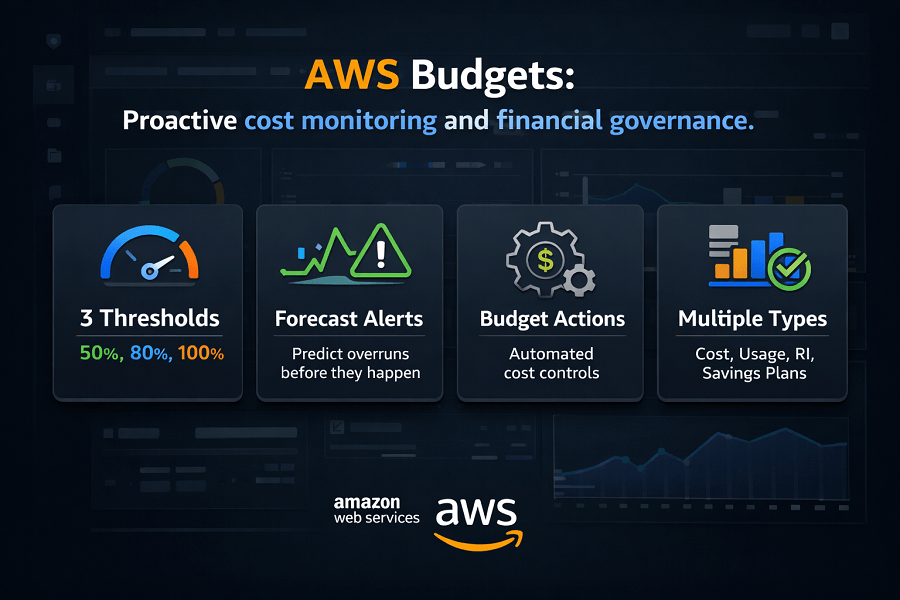
AWS Budgets helps organizations monitor cloud spending, track resource usage, forecast future costs, and receive proactive alerts when spending approaches predefined limits. Instead of discovering unexpected charges after the monthly invoice arrives, engineering and finance teams can identify potential issues early and take corrective action.
Whether you're managing a startup with a modest AWS environment or an enterprise operating hundreds of cloud accounts, AWS Budgets provides the visibility and financial controls needed to maintain predictable cloud spending.
What This Guide Covers
- What AWS Budgets is
- How AWS Budgets works
- Different budget types
- Budget alerts and notifications
- Budget Actions
- Cost forecasting
- Best practices
- Common mistakes
- How AWS Budgets fits into a broader AWS Cost Optimization and FinOps strategy
What Is AWS Budgets?
AWS Budgets is a native AWS cost management service that allows organizations to create customized budgets based on cloud costs, usage, reservations, or Savings Plans utilization.
Rather than simply displaying historical spending, AWS Budgets continuously compares actual cloud activity against predefined thresholds and forecasts future spending based on current trends.
When a budget exceeds or is expected to exceed a defined limit, AWS Budgets automatically sends notifications or triggers predefined actions, helping organizations control cloud costs before they escalate.
AWS Budgets supports multiple dimensions, including:
- Cost
- Usage
- Reserved Instances
- Savings Plans
- Tags
- Linked AWS Accounts
- AWS Regions
- AWS Services
This flexibility allows businesses to monitor cloud spending from both financial and operational perspectives.
Why AWS Budgets Is Important
Cloud environments are dynamic. Developers launch new services. Applications scale automatically. Data grows continuously. Infrastructure changes every day. Without proactive financial monitoring, cloud spending can increase rapidly.
Common causes of unexpected AWS bills include:
- Forgotten development environments
- Accidental resource deployments
- Misconfigured Auto Scaling groups
- Increased application traffic
- Storage growth
- New engineering projects
- Test environments left running
- High data transfer charges
AWS Budgets helps organizations detect these situations before they significantly impact monthly spending.
Instead of waiting until the end of the billing cycle, teams receive timely notifications that allow them to investigate and respond quickly.
How AWS Budgets Works
AWS Budgets follows a straightforward monitoring process.
Step 1: Create a Budget
Organizations define a budget based on:
- Monthly cloud costs
- Quarterly spending
- Annual spending
- Service usage
- Reserved Instance utilization
- Savings Plan utilization
Budgets can also target specific AWS services, accounts, projects, or business units using cost allocation tags.
Step 2: Define Budget Thresholds
After creating a budget, organizations specify one or more thresholds.
Examples include:
- 50% of budget
- 80% of budget
- 90% of budget
- 100% of budget
Multiple thresholds allow engineering and finance teams to receive increasingly urgent notifications as spending approaches the budget limit.
Step 3: Monitor Actual Spending
AWS continuously compares current spending against the configured budget.
The service also analyzes historical usage trends to forecast future spending.
This enables organizations to identify potential budget overruns before they occur.
Step 4: Trigger Alerts or Actions
When spending reaches a threshold or AWS predicts it will AWS Budgets can:
- Send email notifications
- Publish Amazon SNS notifications
- Trigger Budget Actions (where supported)
This proactive approach helps organizations respond before costs become unmanageable.
Types of AWS Budgets
AWS Budgets supports several budget types, each designed for different monitoring scenarios.
Understanding these budget categories helps organizations build a comprehensive cloud governance strategy.
Cost Budgets
Cost Budgets are the most commonly used budget type.
They monitor the total amount spent on AWS services during a specified period.
Examples include:
- Monthly AWS spending
- Departmental cloud budgets
- Project-specific budgets
- Team budgets
Cost Budgets are ideal for tracking overall cloud expenditure and ensuring spending stays within financial targets.
Usage Budgets
Instead of monitoring costs, Usage Budgets track service consumption.
Examples include:
- EC2 instance hours
- Amazon S3 storage usage
- Data transfer
- API requests
- Lambda invocations
Usage Budgets help organizations identify unusual increases in resource consumption before they result in higher costs.
Reserved Instance Budgets
Organizations using Reserved Instances can monitor:
- Reservation utilization
- Reservation coverage
Low utilization may indicate unused commitments or opportunities to optimize purchasing strategies.
Savings Plans Budgets
AWS Budgets can also monitor Savings Plans.
Metrics include:
- Savings Plan utilization
- Savings Plan coverage
These insights help organizations maximize the value of their compute commitments while avoiding unused discounts.
Benefits of AWS Budgets
Organizations that implement AWS Budgets gain several advantages.
Improved Cost Visibility
Budgets provide continuous insight into cloud spending instead of waiting for monthly invoices.
Proactive Cost Control
Alerts notify teams before costs exceed expectations, enabling faster corrective action.
Better Financial Governance
Budgets help finance and engineering teams collaborate around shared spending goals.
Forecasting Future Costs
By analyzing spending trends, AWS Budgets estimates future costs and highlights potential overruns before they occur.
Support for FinOps Practices
AWS Budgets plays a key role in cloud financial management by encouraging accountability, visibility, and continuous optimization.
Cost Budgets vs Usage Budgets
Although both help organizations monitor AWS environments, they serve different purposes.
Understanding when to use each budget type is critical for effective cloud governance.
Cost Budgets
Cost Budgets monitor how much money is being spent on AWS services over a defined period.
Examples include:
- Monthly AWS spending
- Quarterly cloud budgets
- Department-level budgets
- Project budgets
- Client-specific AWS environments
For example:
Marketing Team Budget
Monthly Budget: $5,000
Thresholds:
- 50%
- 80%
- 100%
AWS continuously monitors spending and sends notifications as these thresholds are reached.
Cost Budgets are the most commonly implemented budget type because they directly support financial planning.
Usage Budgets
Usage Budgets monitor resource consumption instead of monetary costs.
These budgets are valuable because usage often increases before costs become noticeable.
Examples include:
- EC2 instance hours
- Amazon S3 storage usage
- AWS Lambda invocations
- Data transfer
- API requests
- Amazon DynamoDB read/write capacity
- Amazon EBS storage
For example:
A company expects EC2 usage to remain below:
10,000 Instance Hours
If application demand unexpectedly doubles, Usage Budgets can alert engineering teams before cloud spending significantly increases.
Reserved Instance Budgets
Organizations using Reserved Instances should also monitor how efficiently those commitments are being utilized.
Reserved Instance Budgets help answer questions such as:
- Are Reserved Instances being fully utilized?
- Are commitments being wasted?
- Should additional Reserved Instances be purchased?
- Is infrastructure changing faster than expected?
Important metrics include:
Reservation Coverage
Measures how much of your eligible compute usage is covered by Reserved Instances.
Higher coverage generally indicates better pricing optimization.
Reservation Utilization
Measures how effectively purchased Reserved Instances are actually being used.
Low utilization may indicate:
- Over-purchasing
- Infrastructure changes
- Decommissioned workloads
- Migration to newer instance families
Unused Reserved Instances represent missed cost-saving opportunities.
Savings Plans Budgets
Organizations using Compute Savings Plans or EC2 Instance Savings Plans should also monitor utilization.
Savings Plans Budgets help track:
- Savings Plan coverage
- Commitment utilization
- Remaining On-Demand usage
For example:
If an organization commits to $50/hour but consistently consumes only $35/hour, part of the commitment remains unused.
Monitoring utilization allows finance and engineering teams to adjust future purchasing decisions.
Setting Budget Alerts
One of AWS Budgets' most valuable capabilities is proactive notifications.
Instead of waiting until the monthly invoice arrives, teams receive alerts as spending approaches predefined thresholds.
Typical notification thresholds include:
- 50%
- 75%
- 80%
- 90%
- 100%
- Forecasted 100%
Using multiple thresholds provides progressively earlier warnings.
For example:
Monthly Budget
$10,000
Notifications:
- $5,000 (Awareness)
- $8,000 (Review Required)
- $9,000 (Management Notification)
- Forecast exceeds $10,000 (Immediate Investigation)
This layered approach gives organizations time to investigate unusual spending before exceeding budget limits.
Forecasted vs Actual Spending
AWS Budgets monitors both current and projected spending.
Understanding the difference is important.
Actual Spend
Represents costs already incurred.
This reflects real AWS charges accumulated during the billing period.
Forecasted Spend
Forecasted spending estimates what your total bill will be by the end of the budget period based on current usage trends.
For example:
| Metric | Value |
|---|---|
| Current Date | 15th of the month |
| Current Spend | $7,500 |
| Forecast | $14,200 |
| Monthly Budget | $10,000 |
Although actual spending hasn't reached the limit yet, AWS predicts it will.
Forecast alerts give organizations valuable time to investigate before exceeding the budget.
This predictive capability makes AWS Budgets far more useful than simply reviewing monthly invoices.
Amazon SNS Integration
AWS Budgets integrates with Amazon Simple Notification Service (Amazon SNS).
SNS allows organizations to distribute budget alerts to multiple destinations.
Examples include:
- Email notifications
- Operations teams
- Finance teams
- Slack integrations (through automation)
- IT Service Management platforms
- Incident management workflows
Instead of notifying a single administrator, organizations can ensure relevant stakeholders receive alerts immediately.
AWS Budget Actions
Beyond notifications, AWS Budgets also supports Budget Actions for certain scenarios.
Budget Actions allow organizations to respond automatically when budgets exceed predefined thresholds.
Examples include:
- Applying IAM policies
- Restricting additional resource creation
- Preventing new EC2 deployments
- Limiting access to specific AWS services
These automated controls help organizations enforce governance policies without requiring manual intervention.
Budget Actions are particularly useful in enterprise environments where financial controls must be applied consistently across multiple teams.
Filtering AWS Budgets
Large organizations rarely monitor only one budget.
AWS Budgets supports filtering across multiple dimensions.
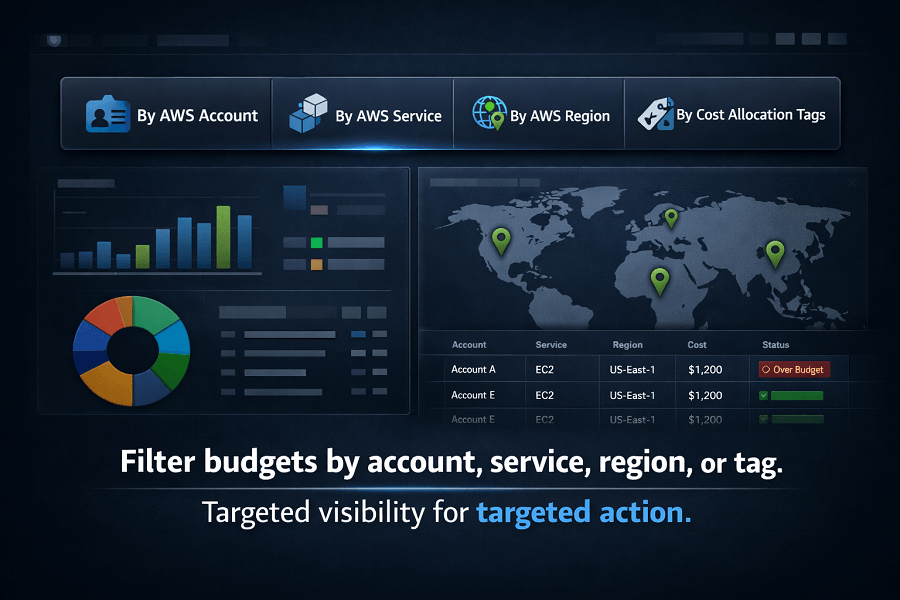
Examples include:
By AWS Account
Monitor individual linked accounts within AWS Organizations.
Useful for:
- Business units
- Regional offices
- Development teams
By AWS Service
Create budgets specifically for:
- Amazon EC2
- Amazon S3
- Amazon RDS
- AWS Lambda
- Amazon CloudFront
- Amazon ECS
This allows organizations to identify which services contribute most to cloud spending.
By Region
Monitor spending in specific AWS Regions.
Examples:
- US East (N. Virginia)
- Europe (Ireland)
- Asia Pacific (Sydney)
Regional budgets are valuable for organizations operating globally.
By Cost Allocation Tags
Tags provide one of the most powerful ways to organize budgets.
Common tagging strategies include:
- Project
- Environment
- Department
- Customer
- Team
- Application
- Business Unit
Example:
| Key | Value |
|---|---|
| Environment | Production |
| Project | Customer Portal |
| Department | Finance |
Tagged budgets enable highly granular financial reporting and improve accountability across engineering teams.
AWS Budgets vs AWS Cost Explorer
These services are closely related but solve different problems.
| AWS Budgets | AWS Cost Explorer |
|---|---|
| Monitors budgets | Analyzes spending |
| Sends alerts | Generates reports |
| Forecasts budget overruns | Identifies spending trends |
| Supports Budget Actions | Provides cost visualization |
| Financial governance | Financial analysis |
Think of it this way:
AWS Cost Explorer helps you understand where your money is going.
AWS Budgets helps ensure you don't exceed predefined spending limits.
Most organizations should use both services together.
AWS Budgets vs AWS Cost and Usage Report (CUR)
AWS Cost and Usage Report (CUR) provides the most detailed billing data available in AWS.
However, it serves a different purpose.
| AWS Budgets | AWS Cost and Usage Report |
|---|---|
| Budget monitoring | Detailed billing data |
| Alerts | Raw cost records |
| Forecasting | Historical usage analysis |
| Easy to configure | Advanced analytics |
| Operational governance | Financial reporting |
CUR is primarily used for:
- Business intelligence
- FinOps reporting
- Custom dashboards
- Data lake analysis
- Enterprise cost analytics
AWS Budgets focuses on day-to-day operational financial control.
Real-World Budgeting Example
Imagine a SaaS company with the following monthly cloud budget:
| Environment | Budget |
|---|---|
| Production Environment | $30,000 |
| Development | $8,000 |
| Testing | $5,000 |
| Machine Learning | $7,000 |
| Total | $50,000 |
Each budget includes notifications at:
- 50%
- 80%
- 90%
- Forecasted 100%
During the second week of the month, the development environment unexpectedly reaches 85% of its monthly allocation.
AWS Budgets automatically sends alerts to:
- Engineering Manager
- DevOps Team
- Finance Department
Investigation reveals that several large GPU instances were accidentally left running after performance testing.
The instances are shut down immediately, preventing thousands of dollars in unnecessary cloud costs.
Without AWS Budgets, the issue might have remained unnoticed until the monthly invoice arrived.
Common Budgeting Mistakes
Even organizations using AWS Budgets can make mistakes.
Avoid these common pitfalls.
Creating Only One Budget
Enterprise environments benefit from multiple budgets based on departments, environments, services, and projects rather than relying on a single organization-wide budget.
Setting Alerts Too Late
Waiting until 100% of the budget is consumed provides little opportunity for corrective action.
Use multiple thresholds to provide early warning.
Ignoring Forecast Alerts
Forecast notifications often identify overspending before it occurs.
These alerts should be investigated promptly rather than treated as informational messages.
Failing to Review Budgets Regularly
Business priorities change.
Applications evolve.
Infrastructure grows.
Budgets should be reviewed periodically to ensure they remain aligned with organizational goals.
Best Practices for Using AWS Budgets
Creating a budget is relatively straightforward. Building an effective budgeting strategy that supports cloud governance across an entire organization requires a more structured approach.
The following best practices can help organizations maximize the value of AWS Budgets.
1. Create Multiple Budgets Instead of One Large Budget
Many organizations create a single monthly budget for their entire AWS account.
While this provides a high-level overview, it rarely identifies the source of unexpected spending.
Instead, create budgets based on:
- Business units
- Projects
- Environments
- AWS services
- Development teams
- Applications
For example:
| Environment | Monthly Budget |
|---|---|
| Production | $40,000 |
| Development | $10,000 |
| Testing | $5,000 |
| Machine Learning | $12,000 |
| Total | $67,000 |
This approach makes it much easier to identify which workloads are driving increased cloud costs.
2. Use Cost Allocation Tags
As AWS environments grow, budgets become difficult to manage without proper resource organization.
Cost Allocation Tags allow organizations to group spending by meaningful business dimensions.
Examples include:
- Department
- Customer
- Project
- Team
- Product
- Environment
- Application
- Cost Center
Example:
| Key | Value |
|---|---|
| Environment | Production |
| Department | Finance |
| Application | CRM |
| Project | Customer Portal |
Tagged budgets improve financial reporting while increasing accountability across engineering teams.
3. Configure Multiple Alert Thresholds
Waiting until spending reaches 100% of a monthly budget often leaves little time to respond.
Instead, configure multiple notifications.
Recommended thresholds include:
- 50%
- 75%
- 80%
- 90%
- 100%
- Forecasted 100%
Each notification should become progressively more visible.
For example:
| Threshold | Escalation Action |
|---|---|
| 50% | Email notification to engineering team |
| 80% | Engineering Manager + Finance Team |
| 90% | Cloud Operations Manager |
| Forecasted 100% | Leadership notification and immediate investigation |
This layered approach enables proactive financial management.
4. Review Budgets Regularly
Budgets should evolve with your cloud environment.
Organizations should review budgets whenever they:
- Launch new products
- Expand into new AWS Regions
- Add engineering teams
- Complete cloud migrations
- Modernize applications
- Adopt Kubernetes
- Increase AI or machine learning workloads
Quarterly reviews help ensure budgets remain aligned with actual business requirements.
5. Combine Budgets with AWS Organizations
Enterprise businesses often manage dozens or even hundreds of AWS accounts.
AWS Organizations allows centralized governance across multiple accounts.
AWS Budgets can monitor:
- Individual linked accounts
- Organizational Units (OUs)
- Entire AWS Organizations
Benefits include:
- Centralized financial visibility
- Consistent governance
- Simplified reporting
- Better accountability
This is especially valuable for large enterprises operating across multiple business units.
AWS Budgets and FinOps
AWS Budgets plays an important role in implementing a successful FinOps practice.
AWS FinOps encourages engineering, finance, and business teams to collaborate on cloud spending decisions rather than operating independently.
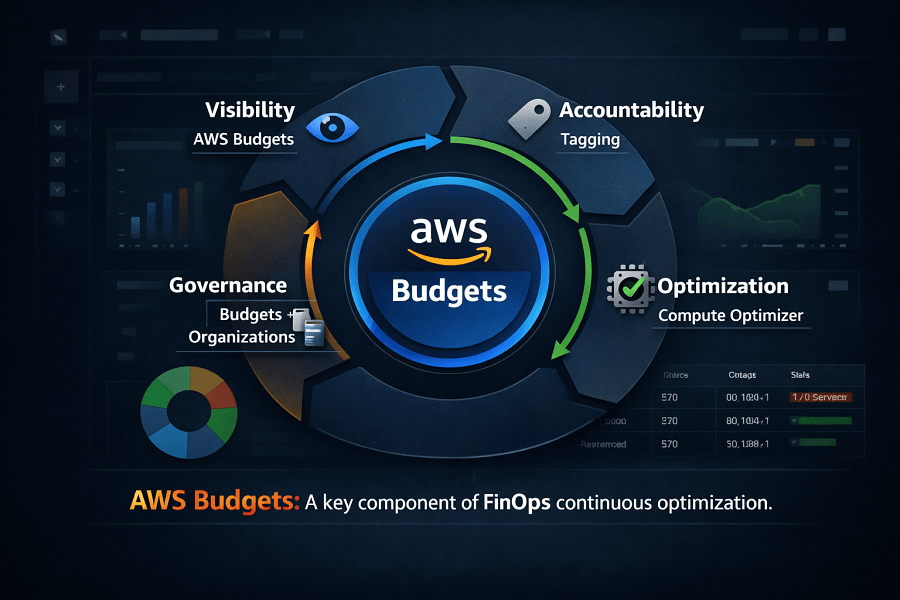
AWS Budgets supports several FinOps principles.
Visibility
Budgets provide continuous awareness of cloud spending across teams.
Rather than waiting for monthly invoices, stakeholders receive near real-time notifications when spending approaches predefined limits.
Accountability
Budgets assigned to individual projects or departments encourage teams to take ownership of their cloud consumption.
This improves cost awareness and helps prevent unnecessary resource provisioning.
Optimization
Budget alerts often reveal opportunities to:
- Delete unused resources
- Rightsize EC2 instances
- Optimize Amazon EBS storage
- Review Savings Plans
- Purchase Reserved Instances
- Improve Auto Scaling configurations
In this way, AWS Budgets supports continuous optimization rather than reactive cost reduction.
Forecasting
Forecast budgets help organizations anticipate future spending based on current trends.
This enables finance teams to improve planning while reducing the risk of unexpected invoices.
Multi-Account Budget Governance
As organizations scale, managing budgets across multiple AWS accounts becomes increasingly important.
A common enterprise structure might include:
- Management Account
- Production
- Development
- Testing
- Shared Services
- Security
- Data Analytics
Each account should have:
- Monthly Cost Budget
- Usage Budget
- Forecast Alerts
- Department Tags
- Cost Allocation Tags
Centralized governance ensures consistent financial controls while allowing individual teams to manage their own cloud resources.
Integrating AWS Budgets with Other AWS Cost Management Services
AWS Budgets is most effective when used alongside other AWS optimization services.
A mature cost governance workflow often looks like this:
| Step | Action | Tool(s) |
|---|---|---|
| 1 | Review spending trends | AWS Cost Explorer |
| 2 | Identify oversized resources | AWS Compute Optimizer |
| 3 | Review idle infrastructure | AWS Trusted Advisor |
| 4 | Optimize pricing | Savings Plans, Reserved Instances, Spot Instances |
| 5 | Monitor spending continuously | AWS Budgets |
| 6 | Analyze detailed billing | AWS Cost and Usage Report (CUR) |
| 7 | Repeat the optimization cycle monthly | — |
This continuous improvement process aligns with AWS Well-Architected Framework cost optimization principles and modern FinOps practices.
Common Challenges When Using AWS Budgets
Although AWS Budgets is easy to configure, organizations often encounter several challenges.
Too Many Notifications
Poorly configured thresholds can generate excessive alerts.
Focus on meaningful notification levels to avoid alert fatigue.
Budgets That Never Change
Cloud environments evolve continuously.
Budgets created years ago may no longer reflect actual business requirements.
Regular reviews are essential.
Ignoring Forecasted Spending
Forecast alerts are one of AWS Budgets' most valuable features.
Ignoring them often results in preventable budget overruns.
Missing Resource Tags
Without consistent tagging strategies, it becomes difficult to allocate costs accurately across projects and departments.
Organizations should establish tagging standards early in their cloud journey.
Conclusion
AWS Budgets is a foundational service for organizations seeking greater control over cloud spending. Rather than reacting to unexpected invoices, it enables engineering and finance teams to proactively monitor costs, forecast future spending, and respond before budget overruns occur.
When combined with services such as AWS Cost Explorer, AWS Compute Optimizer, AWS Trusted Advisor, and the AWS Cost and Usage Report (CUR), AWS Budgets becomes a central component of an effective AWS Cost Optimization strategy.
For organizations embracing FinOps, AWS Budgets provides the visibility, accountability, and governance needed to make informed cloud spending decisions while maintaining agility and innovation.
Whether you're operating a single AWS account or managing a complex multi-account enterprise environment, implementing a structured budgeting strategy can help ensure your cloud investments remain aligned with business objectives.
If you're looking to improve cost visibility, strengthen financial governance, or implement AWS Budgets across your organization, EaseCloud's AWS experts can help design and deploy a tailored cloud cost management framework.
Frequently Asked Questions
Is AWS Budgets free?
AWS allows customers to create a limited number of budgets at no additional charge. Creating large numbers of budgets or using advanced features may incur additional charges. Always review the latest AWS pricing documentation for current limits and pricing.
How often does AWS Budgets update?
AWS Budgets updates periodically as billing data becomes available. While it is not intended for real-time monitoring, it provides frequent updates suitable for operational cost governance.
Can AWS Budgets stop AWS resources automatically?
Yes, in certain scenarios.
Using Budget Actions, organizations can automatically apply IAM policies or restrict specific activities when budget thresholds are exceeded.
Does AWS Budgets replace AWS Cost Explorer?
No.
AWS Cost Explorer analyzes historical spending patterns.
AWS Budgets monitors spending against predefined financial goals.
Most organizations should use both services together.
Can AWS Budgets monitor multiple AWS accounts?
Yes.
Organizations using AWS Organizations can monitor linked accounts through centralized budgeting and reporting.
How EaseCloud Helps Organizations Control AWS Cloud Spending
Cloud cost management becomes increasingly complex as organizations adopt additional AWS services, expand into multiple regions, and operate across several AWS accounts.
At EaseCloud, we help businesses implement cloud financial governance that extends beyond simple cost reporting.