H100 vs H200 vs Blackwell for LLM Inference: Which GPU Should You Choose in 2026?
Compare H100, H200 and Blackwell GPUs for LLM inference across VRAM, performance, cost, Qwen, DeepSeek, GLM and enterprise AI workloads.

TL;DR
- H100 (80GB HBM3) – mature, proven workhorse. Best for most large-model deployments where memory isn't the bottleneck. Strong software ecosystem, available on AWS P5.
- H200 (141GB HBM3e) – memory upgrade on Hopper. Best for memory-heavy workloads: large context, bigger batches, higher concurrency. Available on AWS P5e/P5en.
- B200 (180GB HBM3e) – Blackwell architecture. Best for new large-scale deployments with high throughput and memory needs. Available on AWS P6-B200.
- B300 (288GB HBM3e) – high-memory Blackwell. Best for extremely large models, massive context, or minimizing GPU count. Available on AWS P6-B300.
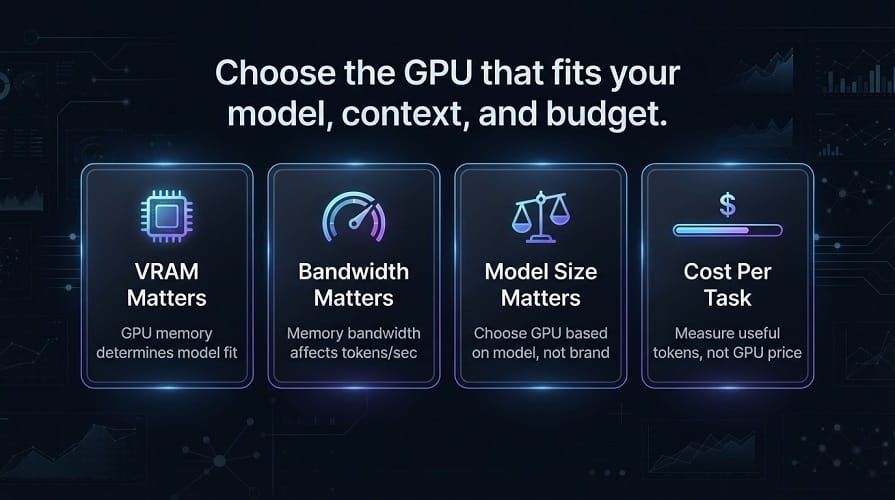
- VRAM matters more than FLOPS for inference – if the model + KV cache doesn't fit, compute doesn't matter. Choose GPU after calculating: model weights × precision + KV cache + runtime overhead.
- The right GPU depends on: model size, precision, context length, concurrency, and cost per successful task. Don't buy the newest by default. Benchmark your actual workload with your serving framework (vLLM) before committing.
Why GPU Choice Matters for LLM Inference
Choosing a GPU for an LLM deployment is not simply a matter of selecting the newest or most powerful card.
For Qwen, DeepSeek, GLM, Llama, and other large models, the practical decision depends on:
- GPU memory
- Memory bandwidth
- Model size
- Precision
- Context length
- Concurrency
- Latency
- Throughput
- Multi-GPU scaling
- Networking
- Power and operating cost
A GPU with more compute is not automatically the best option.
For many LLM workloads, GPU memory and memory bandwidth can be just as important as raw compute performance.
That is why the H100, H200, B200, and B300 should be viewed as different points on an infrastructure spectrum rather than direct replacements where the newest generation automatically wins.
H100 vs H200 vs Blackwell: Quick Comparison
| GPU | Memory per GPU | Architecture | Best Fit |
|---|---|---|---|
| H100 | 80 GB HBM3 | Hopper | Mature large‑model inference |
| H200 | 141 GB HBM3e | Hopper | Memory‑heavy LLM workloads |
| B200 | 180 GB HBM3e | Blackwell | Large next‑generation inference |
| B300 | 288 GB HBM3e | Blackwell | Very large models and high‑memory workloads |
The H200 provides substantially more memory than the H100, while Blackwell-class B200 and B300 systems increase memory capacity again. NVIDIA's current enterprise specifications list 141 GB for H200, 180 GB for B200, and 288 GB for B300 per GPU.
What Matters Most for LLM GPUs?
Before comparing individual GPUs, understand the specifications that actually affect inference.
GPU Memory
GPU memory determines how much model data and runtime state can remain on the accelerator.
This affects:
- Model size
- Quantization
- Context length
- Batch size
- Concurrent requests
- KV cache
For large LLMs, insufficient memory can force you to use multiple GPUs even when a smaller model would fit on one card.
Memory Bandwidth
Memory bandwidth determines how quickly data can move between the GPU's memory and compute units.
This is particularly important for inference because large language models repeatedly access model weights and intermediate data.
H200 increases memory capacity and bandwidth over H100, while Blackwell moves to a newer architecture with substantially higher memory and compute capabilities. NVIDIA lists H200 at 4.8 TB/s memory bandwidth and up to 8 TB/s for B200 and B300 in its enterprise platform specifications.
Compute Performance
Compute matters when you need:
- Higher tokens per second
- More concurrent users
- Lower latency
- Large batch processing
But compute performance should be evaluated together with memory.
A GPU that has enormous compute capability but insufficient memory for your model may not be useful without additional GPUs.
GPU Interconnect
For multi-GPU LLM inference, communication between GPUs becomes critical.
Important technologies include:
- NVLink
- NVSwitch
- PCIe
- RDMA
- NVIDIA InfiniBand
- AWS EFA
When a model is split across multiple GPUs, slow communication can reduce the benefit of adding more hardware.
AWS's P5, P5e, and P5en eight-GPU systems provide 900 GB/s of NVSwitch GPU interconnect and up to 3,200 Gbps of EFA networking.
H100: The Established LLM Workhorse
The NVIDIA H100 remains a major choice for large-model inference.
The H100 provides:
80 GB HBM3 per GPU
That makes it suitable for:
- Large language models
- Coding assistants
- RAG
- AI agents
- Fine-tuning
- Multi-GPU inference
Its biggest advantage today is not simply performance.
It has a mature software ecosystem and extensive deployment experience.
This matters for enterprises because production infrastructure benefits from proven:
- CUDA support
- Inference frameworks
- Monitoring
- Kubernetes integrations
- Multi-GPU configurations
H100 for Qwen
H100 is a good fit when a Qwen model is too large for common workstation GPUs or when production throughput requires a data-center accelerator.
For smaller Qwen models, however, using H100 may be unnecessary.
A smaller GPU can provide better economics when:
- The model is small
- Traffic is moderate
- Context is limited
- Latency requirements are relaxed
H100 for DeepSeek
H100 becomes particularly useful for larger DeepSeek deployments.
Large DeepSeek models can require:
- Multiple GPUs
- High memory bandwidth
- High-speed interconnect
- Advanced parallelism
H100 is a mature platform for these workloads.
H100 for GLM
The same applies to the GLM family.
Smaller GLM models can run on much less expensive infrastructure, but larger models and high-throughput deployments can justify H100-class hardware.
H200: Why the Extra Memory Matters
The H200 is based on the Hopper architecture like the H100, but its memory subsystem is a major upgrade for AI workloads.
NVIDIA lists:
141 GB HBM3e
with:
4.8 TB/s memory bandwidth
compared with the H100's 80 GB HBM3. NVIDIA specifically positions the H200's larger and faster memory for generative AI and LLM workloads.
That additional memory can be extremely valuable.
H200 for Larger Context
Suppose a model fits on H100 at a short context but becomes memory-constrained at longer context lengths.
The additional H200 memory can provide more room for:
- KV cache
- Larger batches
- Longer prompts
- More concurrent requests
This can reduce the number of GPUs required for some workloads.
H200 for Large Models
H200 becomes especially attractive when the model is already close to the H100's memory limit.
Instead of automatically moving to two H100s, a single H200 may provide enough memory for some workloads.
The economics depend on the model and workload, but memory capacity can simplify the architecture.
B200: Moving to Blackwell
B200 moves from Hopper to NVIDIA's Blackwell architecture.
NVIDIA's current enterprise specifications list:
180 GB HBM3e per B200 GPU
and up to:
8 TB/s memory bandwidth
for the GPU platform.
This places B200 above H200 in both memory capacity and memory bandwidth.
For large-model inference, that can provide a significant advantage.
B200 for LLM Inference
B200 is particularly relevant for:
- Very large models
- High-throughput inference
- Large MoE models
- Long-context workloads
- High-concurrency serving
- Multi-GPU inference
The benefit is not limited to a faster GPU.
More memory per accelerator can change how a model is partitioned across a server.
B300: The High-Memory Blackwell Option
B300 takes memory capacity further.
NVIDIA's current enterprise reference architecture lists:
288 GB HBM3e per B300 GPU
and approximately:
2.30 TB of HBM3e across an eight-GPU HGX B300 system.
That puts B300 in a very different category from an 80 GB H100.
For extremely large models, the additional memory can be one of the most important advantages.
B300 for Very Large Models
B300 can be especially useful when:
- A model is too large for H200
- Context requirements are high
- Large batch sizes are required
- GPU count needs to be minimized
- Large MoE models are being served
But the newest GPU is not automatically the most cost-effective.
For smaller workloads, the additional capacity can remain unused.
Memory Comparison
| GPU | Memory / GPU |
|---|---|
| H100 | 80 GB |
| H200 | 141 GB |
| B200 | 180 GB |
| B300 | 288 GB |
This one table explains a large part of the hardware decision.
If your model requires around 70 GB of practical memory, an H100 may be sufficient.
If it needs well over 100 GB, H200 becomes much more interesting.
If it needs well over 140 GB per GPU or requires very high throughput, B200 or B300 may become more attractive.
AWS Versions of These GPUs
AWS provides these accelerators through different EC2 families, often provisioned via infrastructure as code.
Current AWS specifications include:
| AWS Instance | GPU Configuration | Aggregate GPU Memory |
|---|---|---|
| p5.4xlarge | 1 × H100 | 80 GiB |
| p5.48xlarge | 8 × H100 | 640 GiB |
| p5e.48xlarge | 8 × H200 | 1,128 GiB |
| p5en.48xlarge | 8 × H200 | 1,128 GiB |
| p6‑b200.48xlarge | 8 × B200 | 1,432 GiB |
| p6‑b300.48xlarge | 8 × B300 | 2,148 GiB |
AWS currently lists these configurations in its EC2 accelerated-computing specifications.
H100 vs H200
The H100 is still attractive when:
- The model fits comfortably in 80 GB
- The workload doesn't need extreme memory capacity
- Mature infrastructure is important
- Existing H100 infrastructure is already available
H200 is more attractive when:
- Memory is the main bottleneck
- Context is large
- Batch size needs to increase
- Large models are being served
H200 vs B200
B200 moves to the newer Blackwell architecture and provides more memory and substantially greater memory bandwidth.
H200 can still be the better choice when:
- Existing infrastructure is already H200
- Availability is better
- The workload doesn't benefit enough from Blackwell
- The application is optimized around Hopper
B200 becomes more compelling when:
- Performance targets are higher
- The model is very large
- Memory bandwidth matters
- New infrastructure is being purchased
B200 vs B300
B300 is primarily interesting when memory capacity is the limiting factor.
With 288 GB HBM3e per GPU in NVIDIA's current enterprise specification, it can support much larger per-GPU model footprints than B200 or H200.
For organizations that don't need that memory, B200 may provide a better balance.
Why VRAM Should Come Before GPU FLOPS
For LLM inference, the first question should often be:
Can the model fit with the required context and concurrency?
If the answer is no, raw compute performance doesn't matter much.
Once the model fits, then compare:
- Tokens per second
- Latency
- Throughput
- GPU utilization
- Cost
This approach avoids buying GPUs that are powerful but poorly matched to the workload.
H100 vs H200 vs Blackwell for Qwen
For Qwen inference, GPU choice depends heavily on model size and serving requirements.
H100
H100 is a strong choice for:
- Small-to-large Qwen deployments
- Coding assistants
- RAG
- AI agents
- Multi-GPU inference
Its 80 GB of HBM3 is enough for many large-model workloads, especially when quantization is used.
H200
H200 becomes more attractive when Qwen workloads require:
- Larger context
- Larger batches
- More concurrent requests
- Larger model weights
Its 141 GB of HBM3e provides substantially more memory per GPU than H100.
B200
B200 becomes particularly attractive for larger Qwen models and high-throughput deployments where both memory and compute performance matter.
B300
B300 is most interesting for very large Qwen models or deployments where minimizing GPU count is important because of its substantially larger memory capacity.
Qwen GPU Recommendation
| Workload | Starting GPU |
|---|---|
| Small local model | Consumer GPU |
| Medium private model | H100‑class |
| Large context | H200 |
| Large model / high throughput | B200 |
| Very large model | B300 / multi‑GPU |
| High‑concurrency enterprise | H200 / Blackwell |
The actual model, context, and quantization should determine the final choice.
H100 vs H200 vs Blackwell for DeepSeek
DeepSeek can be significantly more demanding depending on the model.
For smaller or quantized DeepSeek deployments, an H100 can be sufficient.
For large models, memory capacity becomes increasingly important.
H100
Good when the model fits comfortably and the workload benefits from mature Hopper infrastructure.
H200
Strong when memory is the main constraint.
B200
Better suited to newer large-scale inference infrastructure where higher throughput and memory capacity justify the investment.
B300
Best considered for extremely large models or workloads where per-GPU memory is a primary bottleneck.
AWS currently provides P5 with H100, P5e/P5en with H200, and P6-B200/P6-B300 with Blackwell GPUs. The eight-GPU P5en provides 1,128 GiB of aggregate H200 memory, while P6-B200 provides 1,432 GiB and P6-B300 provides 2,148 GiB.
DeepSeek GPU Recommendation
For large DeepSeek deployments, prioritize:
- GPU memory
- GPU-to-GPU communication
- Memory bandwidth
- Inference framework support
- Total cost
A high-end GPU is only useful if the model and serving stack can make effective use of it.
H100 vs H200 vs Blackwell for GLM
GLM workloads can range from relatively manageable models to very large multi-GPU systems.
H100
A good starting point for established GLM deployments.
H200
Useful when the model or context needs more memory.
B200
Strong candidate for new high-performance deployments.
B300
Best suited to very large GLM workloads where memory capacity is critical.
For large models, the ability to keep more of the model and KV cache on each GPU can reduce the number of GPUs or improve the usable context and concurrency.
Best GPU for Llama
Llama has an especially broad deployment range.
Smaller models do not require H100-class hardware.
For larger Llama models:
- H100 is a mature choice
- H200 is useful for memory-heavy workloads
- B200 is attractive for new high-performance systems
- B300 is valuable when memory per GPU is the main constraint
This is a good example of why GPU selection should follow model size, not brand preference.
Best GPU for Large MoE Models
Mixture-of-Experts models introduce additional considerations.
An MoE model may have:
- Very high total parameter count
- Much lower active parameters per token
- Large full-model memory requirements
- Significant expert-to-expert communication
For these models, GPU count and interconnect become critical.
H200, B200, and B300 can all be attractive because more memory per GPU can simplify the deployment.
Blackwell can be particularly compelling when the workload also benefits from newer low-precision capabilities.
Best GPU for Long-Context Inference
Long context increases KV-cache memory.
This changes the GPU decision.
An H100 may be sufficient for:
- Moderate context
- Lower concurrency
An H200 may become more attractive for:
- Large context
- Larger batches
- High concurrency
B200 or B300 can be compelling when both memory and throughput requirements are high.
For long-context workloads, evaluate:
- Maximum context
- Average context
- Number of concurrent requests
- KV-cache usage
- Time to first token
Do not benchmark only a short prompt.
Best GPU for Coding Agents
Coding agents often consume more context than simple chat applications.
A single task can include:
- System instructions
- Repository files
- Tool schemas
- Terminal output
- Previous actions
- Test failures
- New code
This makes memory capacity particularly important.
H100
Good for moderate-size coding agents.
H200
Better for larger repositories and more concurrent coding sessions.
B200
Strong choice for high-throughput enterprise coding platforms.
B300
Useful for extremely large agent workloads where memory is the main constraint.
Best GPU for RAG
RAG has two different GPU requirements.
Retrieval layer
Often needs relatively modest infrastructure.
Generation layer
Depends on the LLM size.
For a smaller RAG model, H100 may be excessive.
For high-volume enterprise RAG using a large model, H200 or Blackwell may provide better throughput and memory headroom.
The best RAG architecture often uses a smaller model whenever retrieval quality is high enough.
Best GPU for High Concurrency
High concurrency changes the equation.
You need enough memory for multiple requests and enough compute to maintain acceptable latency.
Three options are common:
Bigger GPU
More memory and compute per replica.
More replicas
Several smaller or medium-sized GPUs.
Hybrid
A smaller baseline plus additional GPU capacity during peak traffic.
Which one is best depends on request patterns.
Single GPU vs Multi-GPU
A single GPU is simpler.
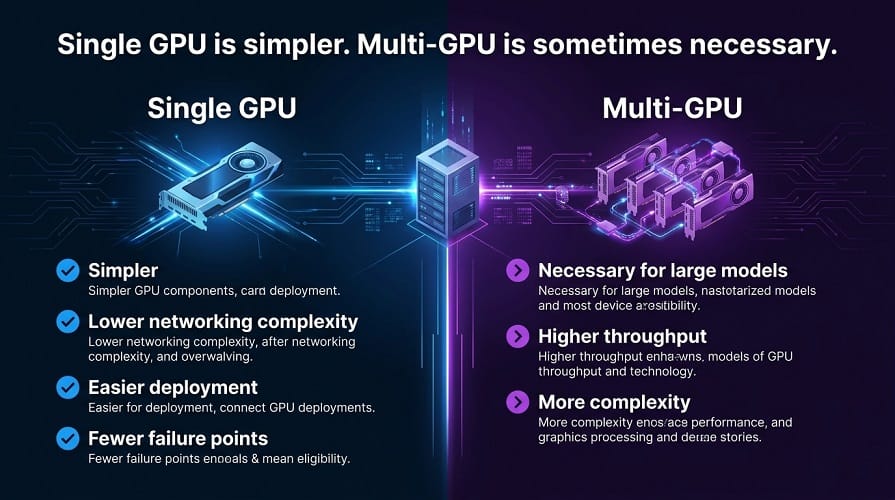
Advantages include:
- Lower networking complexity
- Easier deployment
- Fewer failure points
- Easier troubleshooting
Multi-GPU becomes necessary when:
- The model doesn't fit
- Context requirements are very high
- Throughput requirements are large
- Parallelism improves performance
Do not use multiple GPUs just because the model server supports them.
AWS: H100 vs H200 vs Blackwell
AWS's current accelerated-computing portfolio provides clear deployment tiers.
| AWS Instance | GPU | Aggregate GPU Memory |
|---|---|---|
| p5.4xlarge | 1 × H100 | 80 GiB |
| p5.48xlarge | 8 × H100 | 640 GiB |
| p5e.48xlarge | 8 × H200 | 1,128 GiB |
| p5en.48xlarge | 8 × H200 | 1,128 GiB |
| p6‑b200.48xlarge | 8 × B200 | 1,432 GiB |
| p6‑b300.48xlarge | 8 × B300 | 2,148 GiB |
AWS also provides 3.2 Tbps networking and 900 GB/s NVSwitch GPU peer-to-peer bandwidth on the eight-GPU P5, P5e, and P5en configurations. P6-B200 provides 3.2 Tbps networking, while P6-B300 provides 6.4 Tbps.
AWS GPU Selection by Workload
| Workload | Suitable Starting Class |
|---|---|
| Small model | G‑series / smaller GPU |
| Medium private model | H100 |
| Memory‑heavy model | H200 |
| Large new deployment | B200 |
| Extremely large model | B300 |
| Very large multi‑node model | Blackwell GPU cluster |
This is a planning guide, not a fixed specification.
H100 vs H200: Which Gives Better Value?
H100 can be the better choice when:
- The model fits within 80 GB
- Existing H100 infrastructure is available
- You don't need maximum memory
- The workload already performs well on Hopper
H200 can be better when:
- Memory is the bottleneck
- Context is large
- Batch size must increase
- Fewer GPUs can simplify deployment
The right comparison is therefore not:
H100 vs H200 specifications
but:
cost per useful inference workload
H200 vs B200: Which Should You Buy?
H200 may remain attractive for organizations that value memory capacity but don't need the newest architecture.
B200 becomes more compelling for new deployments when:
- Higher throughput is needed
- Large models are expected
- Low-precision performance matters
- The hardware will be operated for several years
The economics should include the expected utilization period.
B200 vs B300
B300 should be considered when memory requirements are extremely high.
Its current enterprise specification of 288 GB HBM3e per GPU is significantly above B200 and H200.
For workloads that do not benefit from that additional capacity, B200 may offer a better balance.
Cost Per Useful Token
A better hardware metric is:
GPU cost ÷ useful generated tokens
For example, compare two systems based on:
- Total hourly GPU cost
- Tokens per second
- Average utilization
Then calculate the effective cost per million useful tokens as part of a cloud financial management strategy.
This is more meaningful than comparing instance prices alone.
Cost Per Successful Task
For AI agents and coding workloads, use:
Total GPU cost ÷ successful tasks
A B200 system that completes tasks twice as quickly may be economically preferable to a cheaper H100 setup.
A model that produces fewer successful tasks may make the cheaper GPU more expensive in practice.
When H100 Is Still the Right Choice
H100 remains a strong decision when:
- The workload already runs efficiently on it
- 80 GB is sufficient
- The software stack is mature
- Existing infrastructure is available
- The expected workload does not justify upgrading
Newer hardware is not automatically a reason to replace working infrastructure.
When H200 Is the Better Choice
Choose H200 when:
- 80 GB isn't enough
- Larger context matters
- Large batch sizes are required
- You want to reduce GPU count
- Memory capacity is the main bottleneck
When Blackwell Is the Better Choice
Choose B200 or B300 when:
- Building a new large-scale platform
- Model size is increasing
- High throughput is critical
- Low-precision inference is important
- Very large memory capacity is required
Which GPU Should You Choose?
There is no single best GPU for every LLM deployment.
The practical choice depends on:
- Model size
- VRAM requirement
- Context length
- Quantization
- Concurrent users
- Latency target
- Throughput
- GPU utilization
- Expected workload growth
- Total cost
A small Qwen model and a massive DeepSeek or GLM model can require completely different infrastructure.
Best GPU for Small and Medium LLMs
For smaller models, an H100, H200, or B200 can be unnecessary.
A lower-cost GPU may provide better economics when:
- The model fits comfortably
- Traffic is moderate
- Context is limited
- Latency requirements are reasonable
The first optimization should therefore be:
Use the smallest GPU that comfortably meets the workload.
Do not buy an H200 simply because it has more memory.
Best GPU for Large LLMs
For larger models, H100 becomes a strong starting point.
Its 80 GB of GPU memory is enough for many large-model configurations, particularly when quantization is used.
H200 becomes more attractive when the model approaches the H100 memory limit.
The additional memory can reduce the need for model sharding or allow larger context and concurrency.
Best GPU for Very Large LLMs
For extremely large models, Blackwell becomes increasingly attractive.
B200 provides 180 GB of GPU memory per accelerator in current NVIDIA enterprise specifications, while B300 provides 288 GB.
That can materially change the number of GPUs required for a model.
For very large MoE deployments, fewer GPUs can also mean:
- Less communication
- Simpler topology
- Lower networking overhead
- Easier model placement
H100 vs H200 vs B200 vs B300
| GPU | Memory / GPU | Best Starting Use |
|---|---|---|
| H100 | 80 GB | Mature large‑model inference |
| H200 | 141 GB | Memory‑heavy inference |
| B200 | 180 GB | New large‑scale deployments |
| B300 | 288 GB | Extreme memory requirements |
The best choice depends on whether memory, compute, or total cost is the actual bottleneck.
AWS Deployment Options
AWS currently provides several relevant instance families.
| AWS Instance | GPU | Aggregate GPU Memory |
|---|---|---|
| p5.4xlarge | 1 × H100 | 80 GB |
| p5.48xlarge | 8 × H100 | 640 GB |
| p5e.48xlarge | 8 × H200 | 1,128 GB |
| p5en.48xlarge | 8 × H200 | 1,128 GB |
| p6‑b200.48xlarge | 8 × B200 | 1,432 GiB |
| p6‑b300.48xlarge | 8 × B300 | 2,148 GiB |
AWS lists 3,200 Gbps networking for the current P5, P5e, P5en, and P6-B200 configurations, while P6-B300 reaches 6,400 Gbps. The eight-GPU P5-family systems also provide 900 GB/s NVSwitch GPU interconnect.
When Should You Choose H100?
Choose H100 when:
- 80 GB is sufficient
- The workload already runs efficiently on Hopper
- Existing H100 infrastructure is available
- You need a mature and well-supported platform
- The model does not justify additional memory
H100 remains a very practical enterprise GPU.
Newer does not automatically mean cheaper.
When Should You Choose H200?
H200 is a stronger choice when:
- Model weights are memory-heavy
- Context windows are large
- KV-cache consumption is high
- Batch sizes need to increase
- GPU memory is the primary bottleneck
The H200 provides 141 GB of HBM3e per GPU, giving it substantially more memory capacity than H100.
When Should You Choose B200?
B200 is particularly compelling for new large-scale deployments.
Consider it when:
- You are building new infrastructure
- High throughput matters
- Large models are expected
- Lower-precision inference is important
- The workload can benefit from Blackwell
B200 is not necessarily the best choice for every existing H100 workload.
Migration costs, software compatibility, and actual utilization should also be considered.
When Should You Choose B300?
B300 is primarily a high-memory option.
Its current enterprise specification provides 288 GB HBM3e per GPU.
Choose it when:
- The model is extremely large
- Context requirements are substantial
- GPU count needs to be minimized
- Memory is the primary constraint
For ordinary workloads, this additional capacity may not provide enough value to justify the higher infrastructure cost.
How to Compare GPU Economics
Don't compare:
GPU hourly price
alone.
Compare:
GPU cost per useful token
and:
GPU cost per successful task
For example:
| Deployment | Monthly GPU Cost | Successful Tasks | Cost / Task |
|---|---|---|---|
| H100 | $10,000 | 100,000 | $0.10 |
| H200 | $13,000 | 150,000 | $0.087 |
| B200 | $16,000 | 220,000 | $0.073 |
These figures are illustrative rather than actual instance pricing.
The lesson is that a more expensive GPU can produce lower unit economics when it delivers enough additional useful work.
GPU Utilization Is Critical
A powerful GPU operating at low utilization can be economically inefficient, requiring a focus on rightsizing.
Monitor:
- GPU utilization
- VRAM utilization
- Requests per second
- Waiting requests
- Tokens per second
- Time to first token
- KV-cache use
vLLM exposes production metrics through its metrics endpoint, including engine token activity and GPU-oriented utilization metrics when enabled.
The objective for any Site Reliability Engineer is not maximum utilization at every moment.
The objective is efficient utilization without damaging latency or reliability.
vLLM and GPU Selection
The inference engine can change the economics of a GPU.
Two systems with the same hardware can produce different results because of:
- Batching
- KV-cache management
- Prefix caching
- Parallelism
- Model-specific optimizations
- Scheduling
That's why GPU testing should always happen with the actual serving stack you intend to use.
H100 vs H200 vs Blackwell for vLLM
For vLLM deployments, evaluate each GPU under the actual model configuration.
Measure:
- Prompt processing speed
- Generation speed
- Time to first token
- Tokens per second
- Peak VRAM
- Concurrent requests
- Queue time
- Cost per successful request
Don't select a GPU from a theoretical specification sheet alone.
Single GPU vs Multi-GPU
For smaller models:
Single GPU
is generally simpler.
For large models:
Multi-GPU
may be necessary.
But multi-GPU deployment increases:
- Communication requirements
- Networking requirements
- Infrastructure complexity
- Failure scope
- Operational cost
If a model can fit comfortably on one H200 and meet the performance target, moving it to four H100s may not be the better solution even if the total compute appears sufficient.
Tensor Parallelism
Tensor parallelism becomes useful when a model needs to be distributed across GPUs.
The right GPU topology matters.
For example, tightly connected GPUs inside the same server can be preferable to spreading a single model across multiple nodes when the inference framework benefits from fast GPU-to-GPU communication.
This is one reason AWS's high-end GPU instances provide large NVSwitch and EFA capabilities.
Expert Parallelism for MoE Models
Large MoE models introduce another scaling option.
Expert parallelism distributes experts across GPUs rather than simply splitting all model computation in the same way.
This can be especially useful for very large Qwen, DeepSeek, and GLM MoE deployments.
The correct configuration depends on:
- Model architecture
- Number of experts
- Active experts
- GPU count
- Interconnect
- Serving framework
Long Context Changes the GPU Decision
A GPU that performs well for an 8K or 16K context may struggle with much longer contexts.
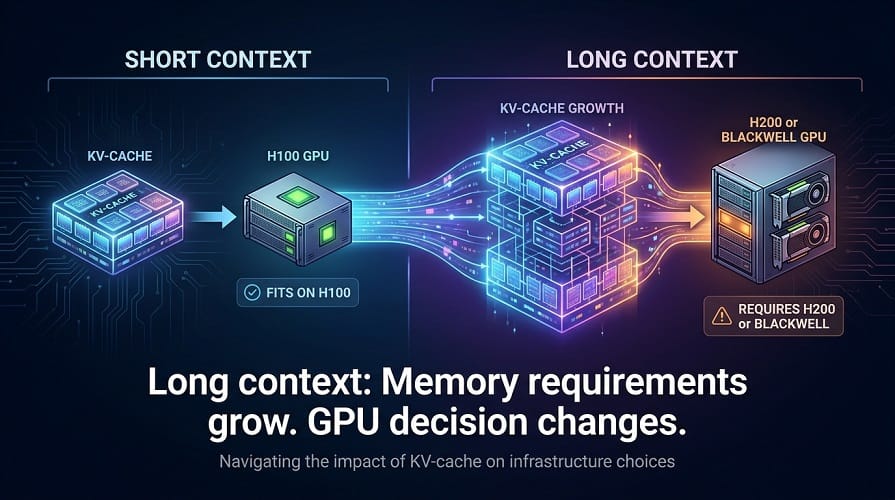
The reason is KV-cache memory.
When context grows, you may need:
- More GPU memory
- More replicas
- Better cache management
- Lower concurrency
- Quantization
This is why H200 and Blackwell become increasingly attractive for long-context workloads.
Best GPU for Qwen
Small Qwen models
Use smaller and more economical GPUs where possible.
Qwen Coder
H100 can be a strong production starting point.
H200 becomes more attractive for large repository context and higher concurrency.
Large Qwen models
H200, B200, or B300 may be appropriate depending on model size and serving requirements.
Best GPU for DeepSeek
Smaller DeepSeek models
Use lower-cost GPU infrastructure when the model fits comfortably.
Large DeepSeek models
H200 becomes attractive because of its memory capacity.
B200 and B300 become particularly relevant for very large deployments.
Best GPU for GLM
Smaller GLM models
A single modern GPU may be sufficient.
Large GLM models
H200 or Blackwell can become more appropriate, particularly when large context and multi-GPU serving are involved.
Best GPU for Enterprise RAG
RAG does not automatically require the largest GPU.
If a smaller model achieves strong grounded accuracy, use the smaller deployment.
For high-volume enterprise RAG:
smaller model + strong retrieval
can be more economical than:
large model + excessive context
Best GPU for Coding Agents
Coding agents usually need more context than standard chat.
They may process:
- Repository files
- Tool definitions
- Terminal output
- Previous responses
- Test failures
- Documentation
This makes H200 particularly attractive for larger coding-agent workloads, while B200 and B300 become relevant at larger scale.
Best GPU for High-Concurrency Applications
You have two broad strategies:
Bigger GPUs
Increase memory and performance per replica.
More replicas
Use more GPUs to handle additional requests.
The better strategy depends on:
- Request length
- Concurrency
- Latency
- Model size
- Scaling behavior
Benchmark both before committing.
H100 vs H200 vs Blackwell: Business-Sized Recommendation
| Business Situation | Recommended Starting Point |
|---|---|
| Developer / small team | Smaller GPU |
| Small enterprise | H100‑class |
| Growing AI platform | H100 / H200 |
| Large enterprise | H200 / B200 |
| Very large model platform | B200 / B300 |
| Extreme‑scale inference | Multi‑node Blackwell |
Don't Upgrade Just Because a New GPU Exists
Existing H100 infrastructure can remain economically excellent.
Upgrade when the newer hardware solves an actual problem:
- Insufficient memory
- Insufficient throughput
- Excessive latency
- Too many GPUs
- Poor energy efficiency
- Capacity constraints
A benchmark should prove that the upgrade improves the business outcome.
Frequently Asked Questions
Is H200 better than H100 for LLM inference?
Not in every situation.
H200 is better when GPU memory is the main constraint because it provides substantially more HBM per GPU. H100 can be the better economic choice when the model already fits comfortably within its available memory and the workload does not require the additional capacity.
Is B200 better than H200?
B200 is based on the newer Blackwell architecture and provides more memory and higher memory bandwidth than H200.
For new large-scale deployments, B200 can provide better performance and scalability.
H200 can still be the better choice when its capacity is sufficient and availability, existing infrastructure, or total cost favors Hopper.
Is B300 better than B200?
B300 provides substantially more GPU memory per accelerator.
That makes it particularly attractive for very large models and memory-heavy inference.
For workloads that do not need that additional memory, B200 can offer a better balance between capacity and cost.
Which GPU is best for Qwen?
It depends on the Qwen model.
Small models can use much smaller GPUs.
For larger Qwen models, H100 and H200 are strong options, while B200 and B300 become increasingly relevant for very large models and high-throughput deployments.
Which GPU is best for DeepSeek?
For smaller DeepSeek models, lower-cost GPUs may be sufficient.
For large DeepSeek models, H200 and Blackwell become more attractive because of their larger memory capacity and improved performance.
Which GPU is best for GLM?
The same principle applies to GLM.
Smaller variants may run efficiently on a single GPU, while larger GLM models can require high-memory multi-GPU infrastructure.
How much VRAM does an LLM need?
There is no single answer.
You need to calculate:
model weights + KV cache + runtime memory + batch requirements
Precision also changes the requirement significantly.
Is 80 GB enough for a large LLM?
It can be enough for some models and quantized configurations.
For larger models, longer context, or higher concurrency, 80 GB may become restrictive.
Does longer context require more GPU memory?
Yes.
Longer context increases KV-cache requirements, which can substantially increase memory usage.
Do I need multiple GPUs?
Only when the model or performance requirement demands them.
If a model fits comfortably on one GPU and meets your latency and throughput targets, a single GPU is usually simpler.
Is H100 still worth buying in 2026?
Yes.
H100 remains a mature and capable accelerator, especially where existing infrastructure, software compatibility, or pricing makes it attractive.
Newer hardware is not automatically a better economic choice.
Should I choose AWS P5, P5en, or P6?
Use the model and workload to make the decision.
P5: H100-based infrastructure.
P5e/P5en: H200-based infrastructure with substantially more memory.
P6: Blackwell-based infrastructure for newer and larger workloads.
The right choice depends on model size, context, concurrency, and expected utilization.
Final Comparison
| GPU | Memory per GPU | Best Use |
|---|---|---|
| H100 | 80 GB | Mature large‑model inference |
| H200 | 141 GB | Memory‑heavy LLM workloads |
| B200 | 180 GB | New large‑scale AI infrastructure |
| B300 | 288 GB | Extremely large memory‑intensive workloads |
Final Recommendation by Workload
| Workload | Recommended Starting Point |
|---|---|
| Small local LLM | Consumer / lower‑cost GPU |
| Medium enterprise LLM | H100‑class |
| Large‑context LLM | H200 |
| Large new production platform | B200 |
| Very large model | B300 |
| Large MoE inference | H200 / B200 / B300 |
| Enterprise coding agents | H200 / Blackwell |
| High‑volume RAG | H100 / H200 depending on model |
| Extreme‑scale inference | Blackwell cluster |
Final Verdict
H100: Best mature choice for many large-model deployments.
H200: Best when memory capacity is becoming the bottleneck.
B200: Strong choice for new high-performance AI infrastructure.
B300: Best suited to extremely memory-intensive LLM workloads.
For most businesses, the right decision should come from a benchmark using the actual model, actual context, actual concurrency, and actual serving framework.
That is how you find the GPU that is genuinely the most cost-effective for production rather than simply the most powerful on paper.