Run 70B Models on Consumer GPUs with Quantization
llamacpp enables efficient LLM inference on consumer hardware, letting you run Llama 2 70B on 24GB GPUs via Q4_K_M quantization and hybrid CPU/GPU offloading, achieving 70% model size reduction, fast CPU performance, and portable, production-ready deployments.

TLDR;
- Q4_K_M quantization reduces Llama 2 70B from 140GB to 38GB (3.7x reduction)
- RTX 4090 achieves 240 tokens/second with Q4_K_M for 7B models (70% size savings)
- Run 70B on 24GB GPU using hybrid CPU/GPU offloading for remaining layers
- CPU-only inference on AMD EPYC 7763 delivers 15 tokens/second for 7B models
Deploy quantized LLMs with llama.cpp and run 70B models on consumer GPUs through aggressive quantization. This guide covers GGUF format, quantization methods, deployment strategies, and performance optimization for CPU and GPU inference.
llama.cpp pioneered efficient LLM inference on consumer hardware through innovative quantization techniques and the GGUF file format. The framework introduced GGUF (GPT-Generated Unified Format) designed specifically for quantized models, storing quantized weights efficiently while including metadata for optimal loading and execution. Quantization performance is exceptional. A Llama 2 70B model in FP16 requires 140GB of VRAM, while the same model quantized to Q4_K_M needs only 38GB, representing a 3.7x reduction. This fits on a single RTX 4090 with 24GB VRAM when using CPU offloading for remaining layers. CPU inference sets llama.cpp apart from GPU-focused frameworks. While other frameworks target GPUs exclusively, llama.cpp delivers production-grade CPU performance through AVX2, AVX512, and ARM NEON optimizations. An AMD EPYC 7763 serves Llama 2 7B at 15 tokens per second on CPU alone without any GPU acceleration. Use llama.cpp when you need to run large models on limited hardware, deploy on CPU-only servers, or create portable inference solutions that work across diverse platforms.
Installation and Quantization Methods
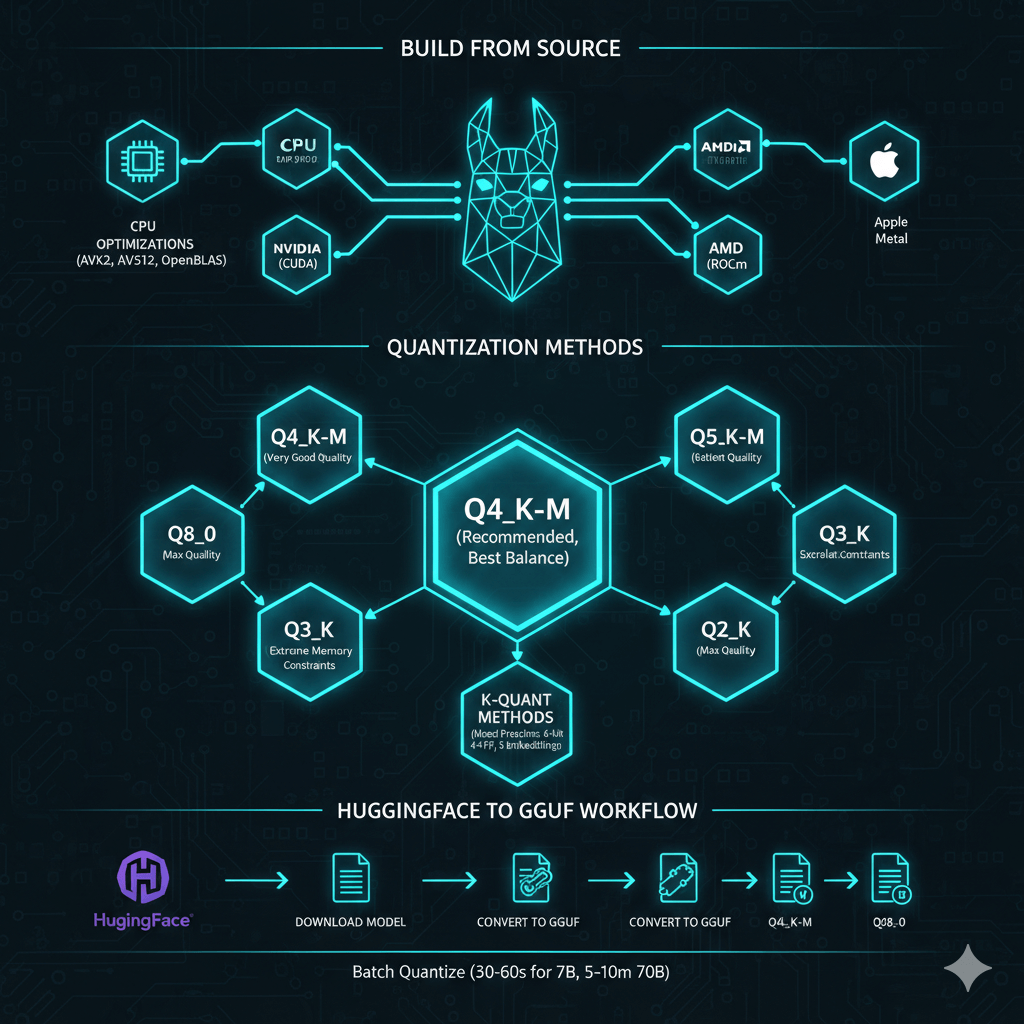
Build llama.cpp from source with hardware-specific optimizations. For basic CPU-only installation, clone the repository and build with make using automatic CPU optimizations including AVX2 and AVX512 when available. For GPU-accelerated builds on NVIDIA hardware, build with CUDA support enabled. For AMD GPUs, build with ROCm support and set the appropriate device version. On Apple Silicon Macs, build with Metal support for excellent M1/M2/M3 performance. For optimized CPU inference, build with OpenBLAS support which improves CPU performance by 20-30%.
llama.cpp offers multiple quantization methods with different size-quality tradeoffs. Q4_K_M provides the recommended starting point with 3.5-4x size reduction, good to very good quality, and the best balance for most deployments. Q5_K_M delivers very good quality with 3x size reduction when quality matters but you still need size reduction. Q6_K provides excellent quality approaching FP16 with 2.7x size reduction. Q8_0 offers near-identical quality to FP16 with 2x size reduction when GPU memory allows minimal quality loss. Q3_K variants provide fair quality with 5-6x size reduction for extreme memory constraints. Q2_K offers poor quality with 8x reduction and is not recommended for production.
K-quant methods like Q4_K_M and Q5_K_M use mixed quantization strategies. They apply higher precision (6-bit) to attention layers, lower precision (4-bit) to feed-forward network layers, and medium precision (5-bit) to embeddings. This preserves model quality better than uniform quantization across all layers.
Convert HuggingFace models to GGUF and quantize them for deployment. Download your model from HuggingFace, then convert to GGUF FP16 format as a full precision intermediate file. Use the quantize tool to create quantized versions in your target formats such as Q4_K_M for recommended balance, Q5_K_M for better quality, or Q8_0 for maximum quality. Batch quantize to multiple formats in a single operation to compare results. Quantization is fast, taking 30-60 seconds for 7B models and 5-10 minutes for 70B models.
Running Inference and Performance Optimization
Use llama.cpp for interactive chat, completions, and API serving. For basic CPU inference, run the main executable with your model path, prompt, context length, and token generation count. For GPU-accelerated inference, offload layers to GPU using the -ngl parameter. Set ngl to 35 for 7B models or 80 for 70B models to offload all layers to GPU, providing 5-10x speedup over CPU.
For hybrid CPU and GPU inference when memory is constrained, offload a subset of layers to GPU while keeping remaining layers on CPU. For example, offload 20 layers to GPU for a 70B model where layers 0-19 run on GPU and layers 20-79 run on CPU. This enables running 70B models on 24GB GPUs by splitting across CPU and GPU memory.
Run llama.cpp in server mode with REST API for application integration. Start the server with your model, GPU layer offloading, host binding, port, context length, and thread count. Test the server by posting completion requests to the HTTP endpoint. Server mode provides standard HTTP API for seamless integration with applications and services.
Maximize inference speed through careful optimization. Find the optimal GPU layer offloading by testing different ngl values and monitoring GPU memory with nvidia-smi. Increase ngl until GPU memory reaches 95% full for maximum utilization. Tune CPU thread count by testing different thread values and timing inference. The optimal thread count usually equals physical CPU cores. Adjust batch size where larger batches provide faster throughput but consume more memory. Use memory locking with --mlock to prevent model swapping to disk and maintain consistent performance. Enable memory mapping with --mmap for efficient handling of large models.
Production Deployment and Benchmarking
Deploy llama.cpp in production with systemd service management. Create a systemd unit file that starts the llama.cpp server with your model path, GPU layer offloading, host binding, port, and context length. Configure the service to restart automatically on failure and run under a dedicated user account for security. Enable the service for automatic startup on boot.
Run llama.cpp in containers for portable deployment. Create a Dockerfile based on Ubuntu, install build dependencies, clone and build llama.cpp, copy your model files, and start the server. This provides a consistent deployment environment across different systems.
For high availability, run multiple llama.cpp instances behind HAProxy with least-connection load balancing. Configure backend servers with health checks to automatically route traffic away from failed instances.
Benchmark results demonstrate quantization effectiveness. For Llama 2 7B on RTX 4090, FP16 provides baseline quality at 180 tokens per second with 13.5GB size. Q8_0 delivers 99% quality at 195 tokens per second with 7.2GB size (53% reduction). Q6_K provides 97% quality at 210 tokens per second with 5.5GB size (59% reduction). Q5_K_M offers 95% quality at 220 tokens per second with 4.8GB size (64% reduction). Q4_K_M delivers 92% quality at 240 tokens per second with 4.1GB size (70% reduction).
For Llama 2 70B on RTX 4090 using hybrid CPU and GPU, Q4_K_M with 40 layers offloaded achieves 18 tokens per second using 23GB VRAM. With only 20 layers offloaded, speed drops to 8 tokens per second using 12GB VRAM. Q3_K_M with 60 layers offloaded reaches 22 tokens per second using 23GB VRAM.
CPU-only performance on AMD EPYC 7763 shows Llama 2 7B in Q4_K_M reaches 15 tokens per second, Llama 2 13B achieves 8 tokens per second, and Mistral 7B delivers 16 tokens per second, all without GPU acceleration.
Troubleshooting and Best Practices
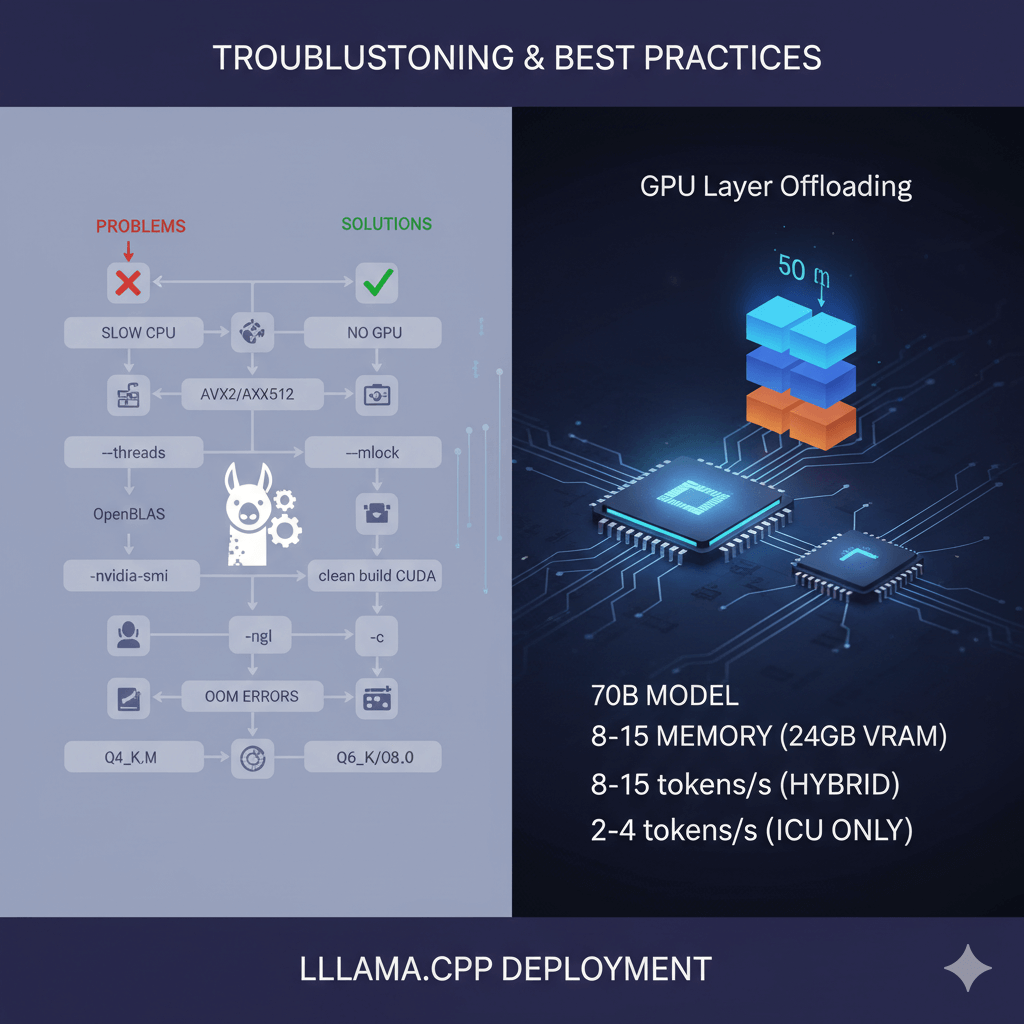
Solve common llama.cpp deployment problems. For slow CPU inference, enable AVX2/AVX512 by checking compile flags, increase thread count with the --threads parameter, rebuild with OpenBLAS support for optimized linear algebra, and lock memory with --mlock to prevent swapping. If GPU is not detected, verify CUDA is installed with nvidia-smi, rebuild with GPU support using clean build and CUDA flags, and check GPU layers by starting with -ngl 1 and increasing gradually.
Address out-of-memory errors by reducing context length with lower -c parameter, using smaller batch size with lower -b parameter, selecting more aggressive quantization such as Q4_K_M instead of Q6_K, and reducing GPU layers with lower -ngl parameter. For poor quality output, use higher bit quantization like Q6_K or Q8_0 instead of Q4_K_M, check model conversion by reconverting from HuggingFace, and verify quantization completed successfully by checking file sizes.
GPU layer offloading works by splitting the model between GPU and CPU memory. Each transformer layer consumes roughly equal VRAM. For Llama 2 70B in Q4_K_M, each of 80 layers uses about 475MB. With 24GB VRAM, you can offload approximately 45-50 layers to GPU (allowing headroom for KV cache and activations) while keeping remaining 30-35 layers on CPU. Processing flows sequentially where GPU layers execute fast, then data transfers to CPU for remaining layers. This hybrid approach enables 70B models on consumer GPUs albeit with reduced speed, expecting 8-15 tokens per second versus 2-4 tokens per second for full CPU inference.
Conclusion
llama.cpp enables efficient LLM inference on consumer hardware through innovative quantization and cross-platform optimization. Choose Q4_K_M quantization for most production deployments with 70% size reduction and minimal quality loss. Use hybrid CPU and GPU offloading to run large models on consumer hardware by splitting layers across available resources. Deploy with systemd for reliable service management or Docker for portable containerized deployment. While llama.cpp cannot match vLLM or TensorRT-LLM for pure GPU throughput, it excels at CPU-only inference, hybrid CPU/GPU deployment, and cross-platform portability including ARM processors. For edge deployment, CPU servers, mixed infrastructure, or when simplicity and portability matter more than maximum throughput, llama.cpp provides the optimal solution for running quantized LLMs on diverse hardware.